
Sales & eCommerce

Universal Discount

Give one discount on the whole order, as a percentage or a fixed amount, on quotations, sales orders, purchase orders, customer invoices and vendor bills. The discount is split per tax so taxes stay correct, and it posts to your own Sales / Purchase Discount accounts. Available for Odoo 14, 15, 16, 17, 18 and 19.

$15 USD
Choose your Odoo version
Ask a question
Built by an Odoo partner Initial setup support Download link by email
Universal Discount
What's included

Key features

1

Percent or fixed amount

One discount for the whole order, as a percentage or a fixed amount.

2

Correct taxes

Discount lines are split per tax, so tax and totals are always right.

3

Discount accounts

Sales and purchase discounts post to their own accounts.

4

Sales, purchases, invoices, bills

Works on quotations, POs, customer invoices and vendor bills.

5

Maximum discount control

Set a max %; only Discount Managers can go above it.

6

Always up to date

Recalculated automatically when lines or the rate change; reason printed on the line.

Inside the module

Screenshots

Real screens from Universal Discount — click any image to see it full size.

Step 1

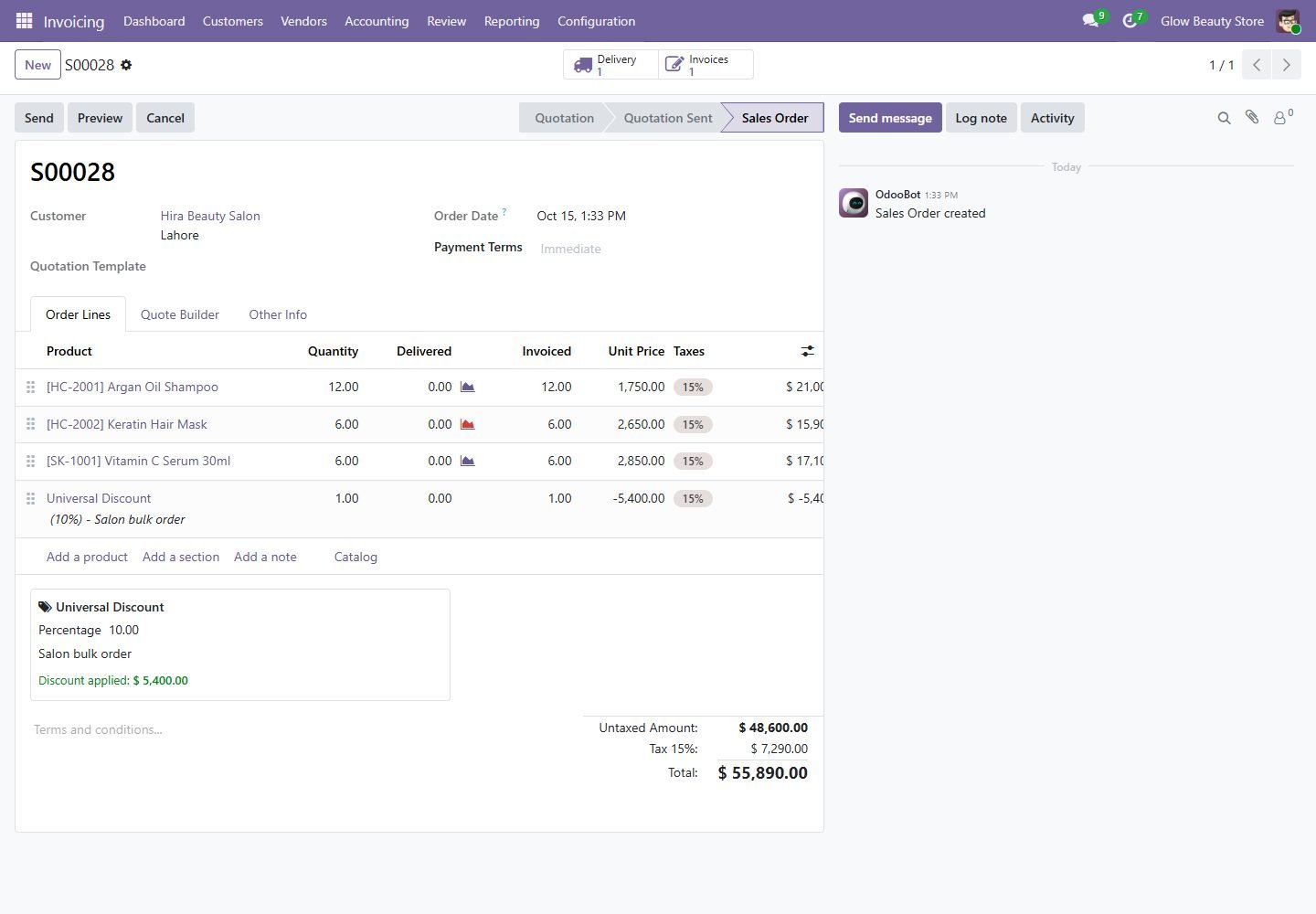
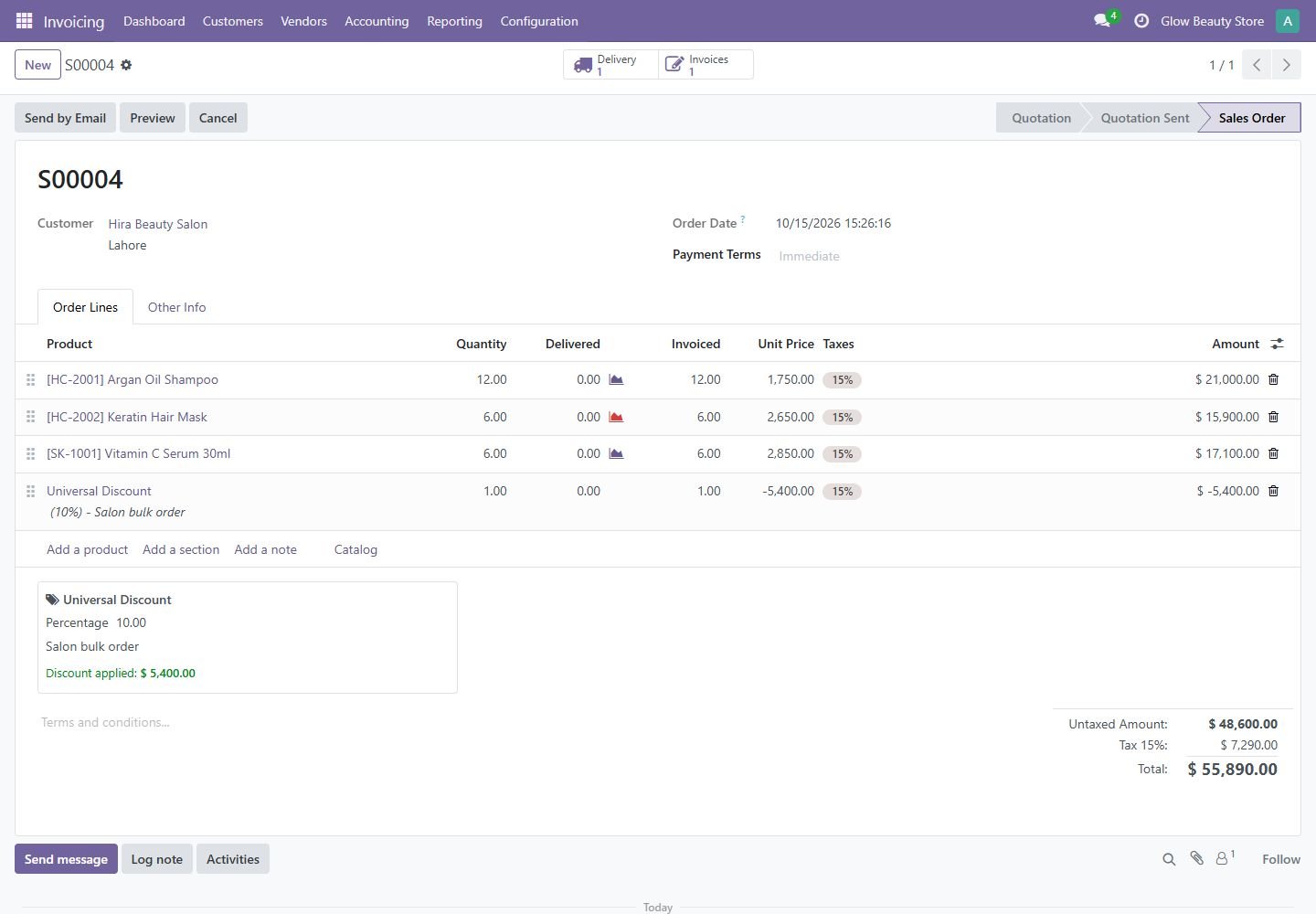
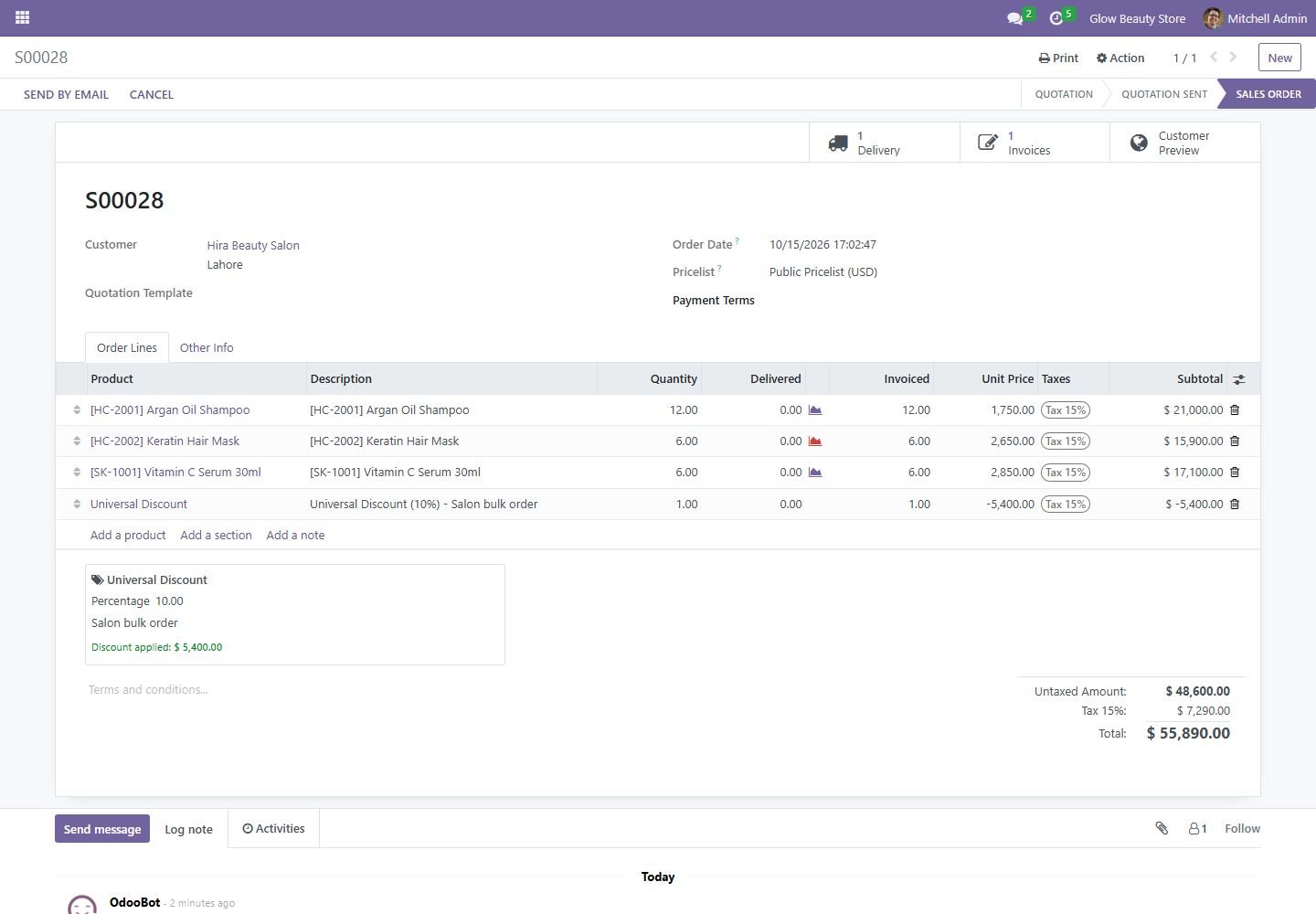
Percentage discount on a sales order

Set 10% once; a discount line is added for each tax so taxes and totals stay correct.

Percentage discount on a sales order
Step 2

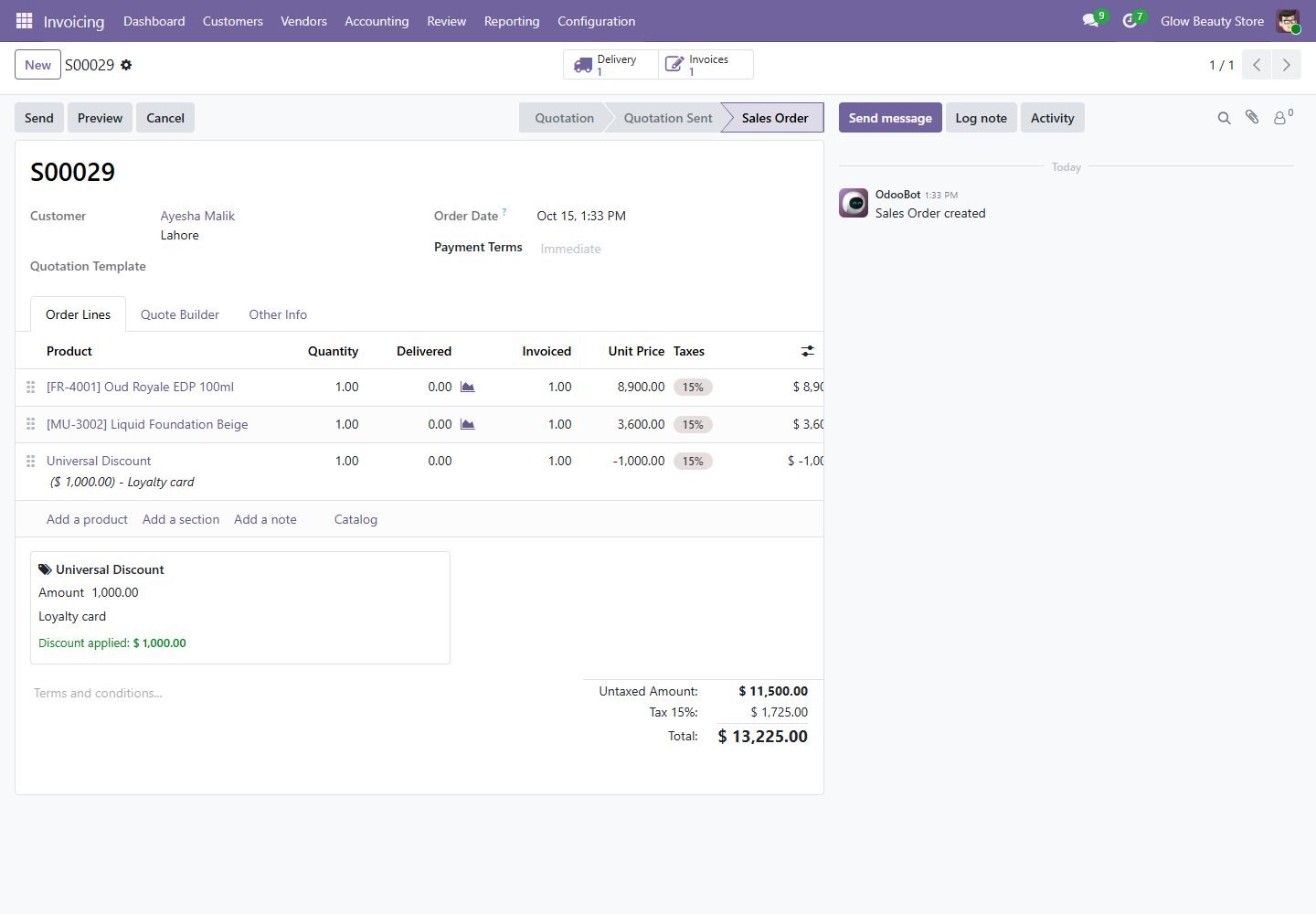
Fixed amount discount

Give a fixed amount off the whole order, with the reason shown on the document.

Fixed amount discount
Step 3

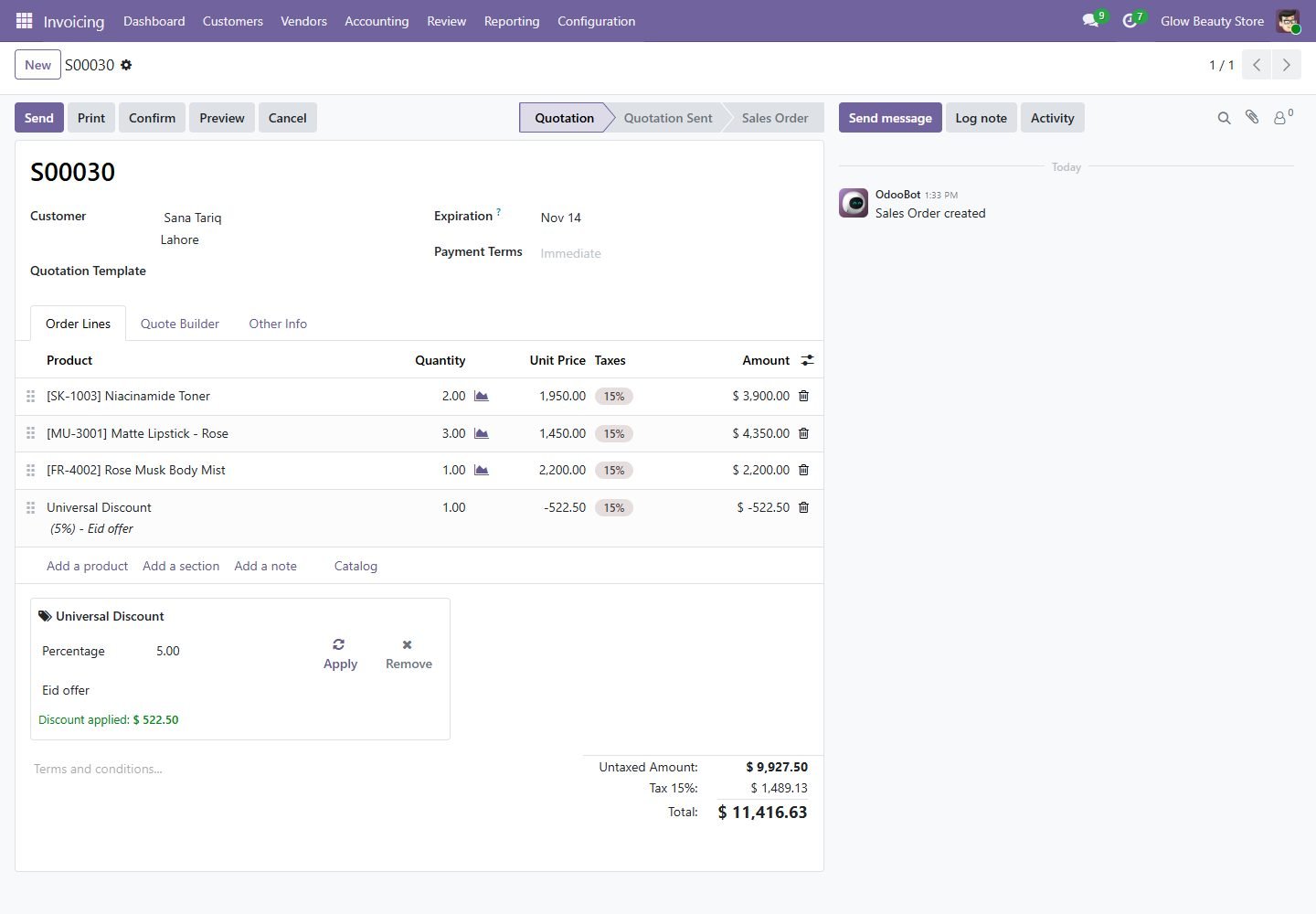
Apply, change or remove

Discount is recalculated when lines, quantities or the rate change; Apply and Remove buttons on drafts.

Apply, change or remove
Step 4

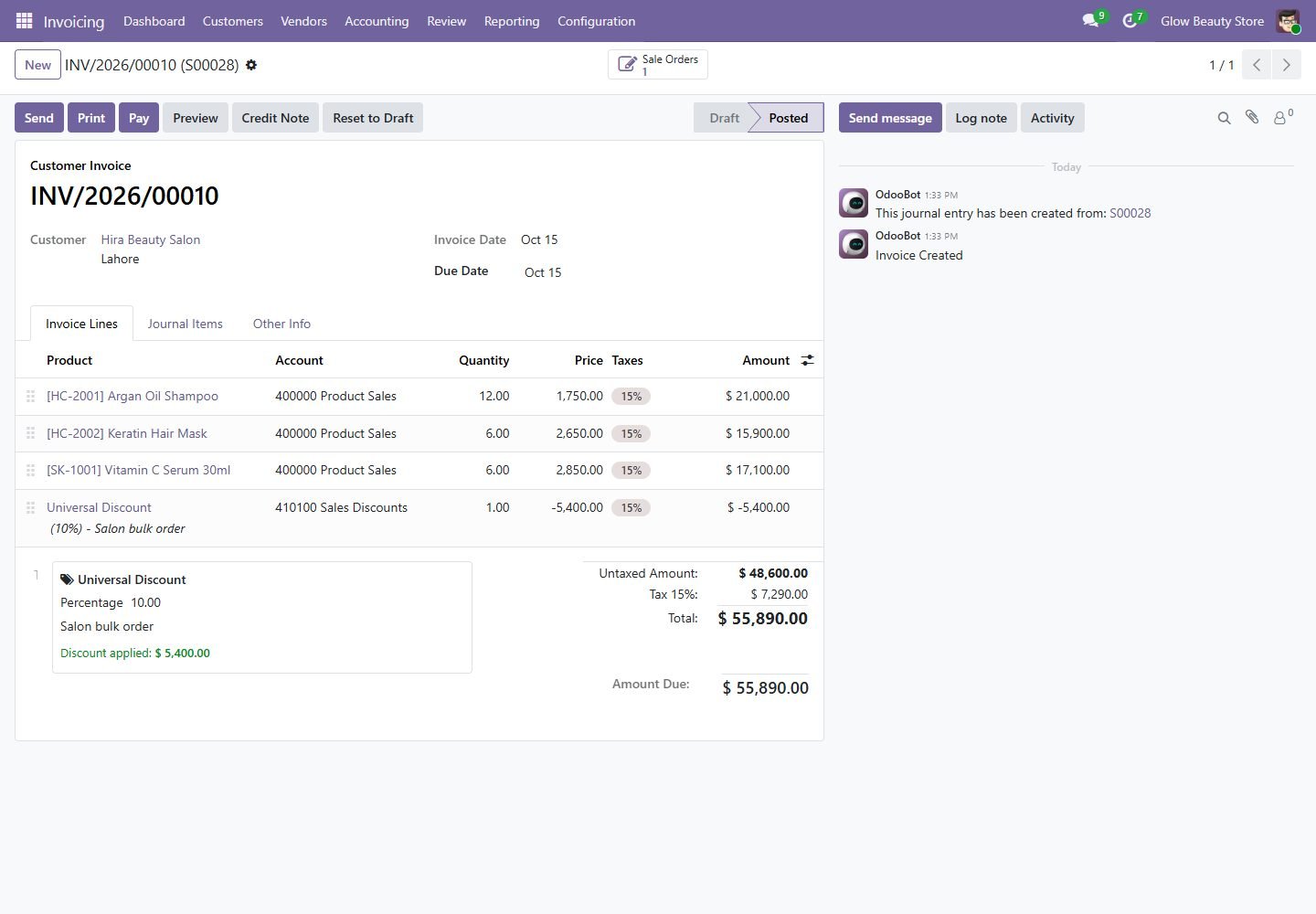
Flows to the invoice

The invoice keeps the same discount line, rate and reason as the sales order.

Flows to the invoice
Step 5

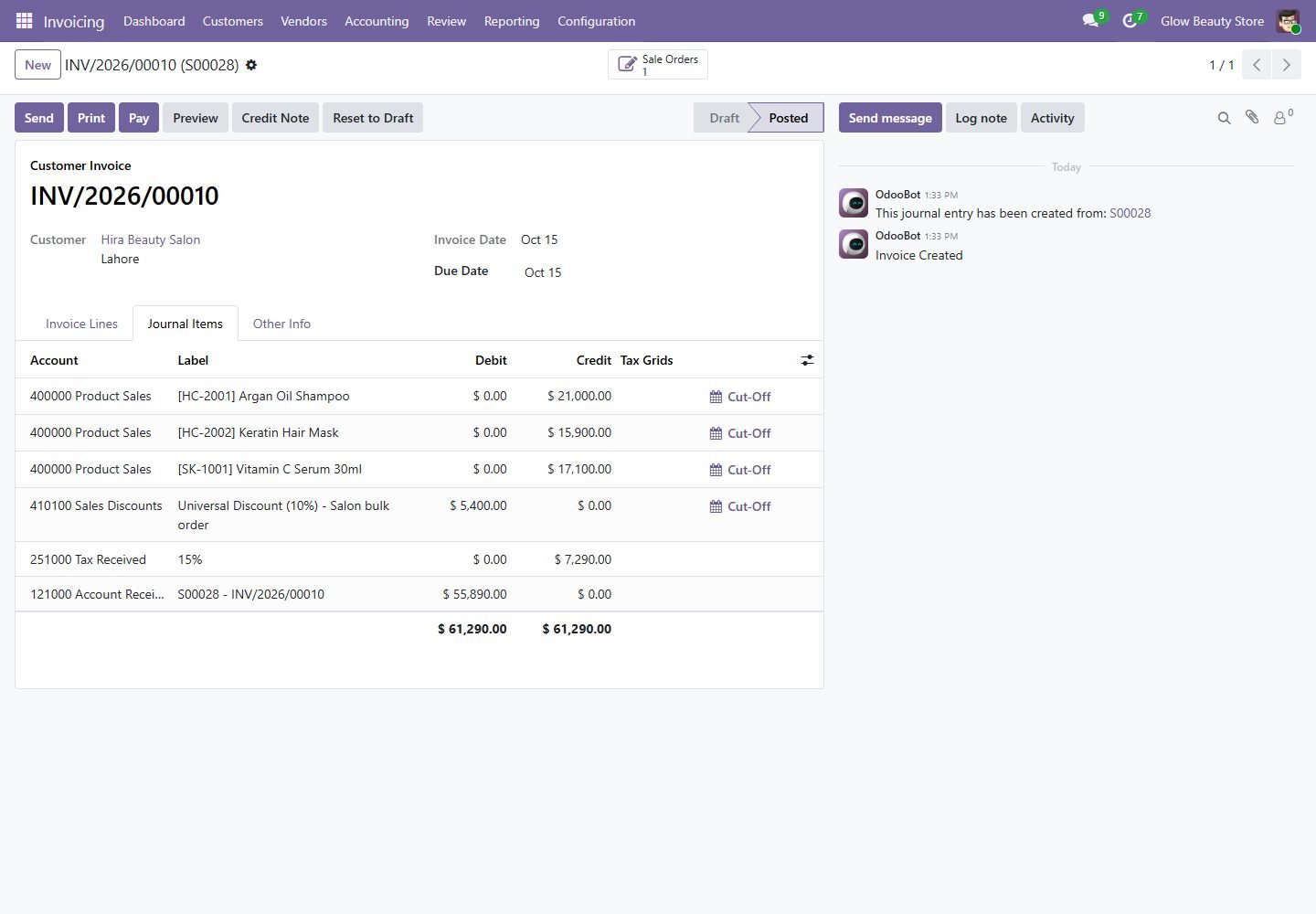
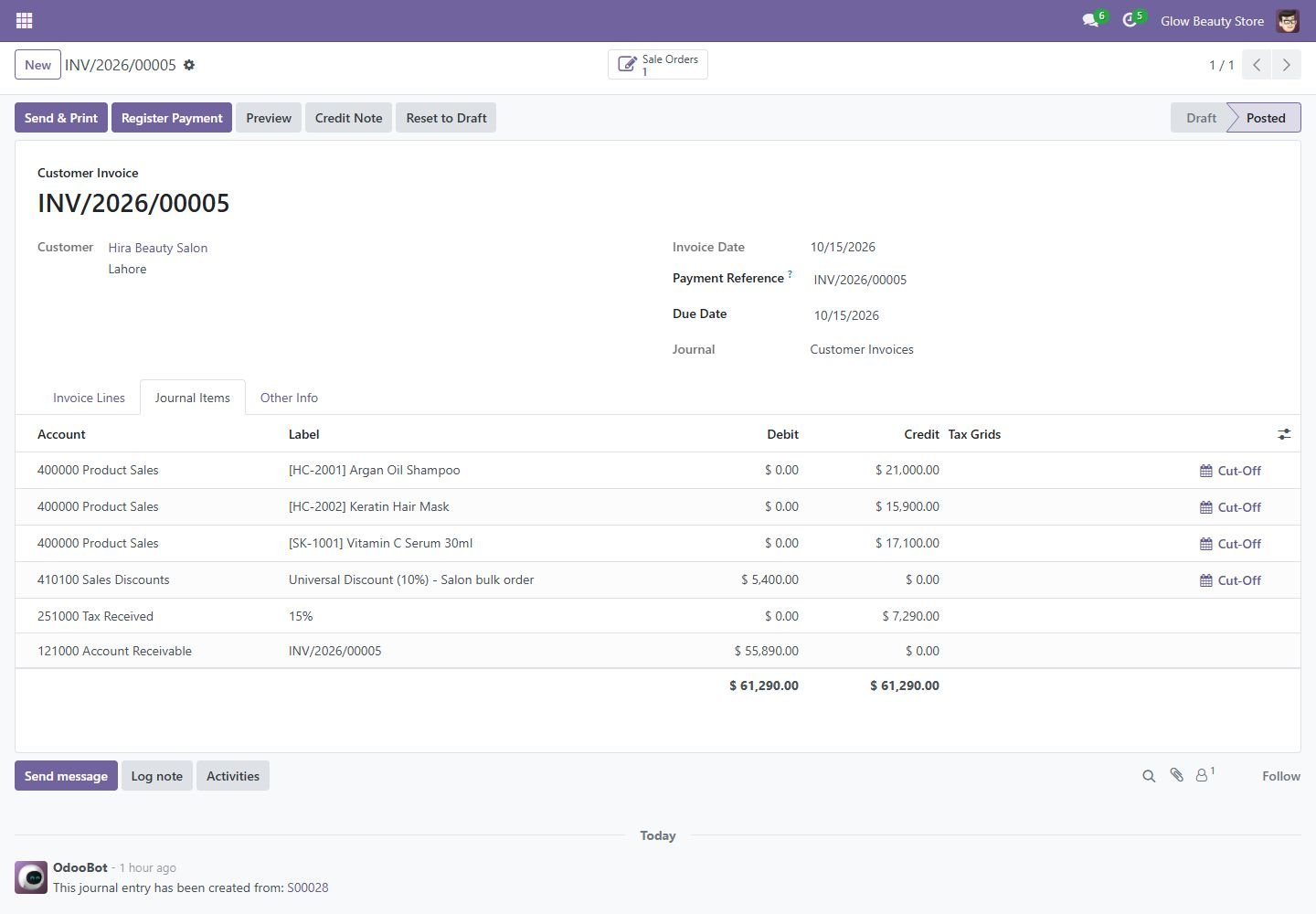
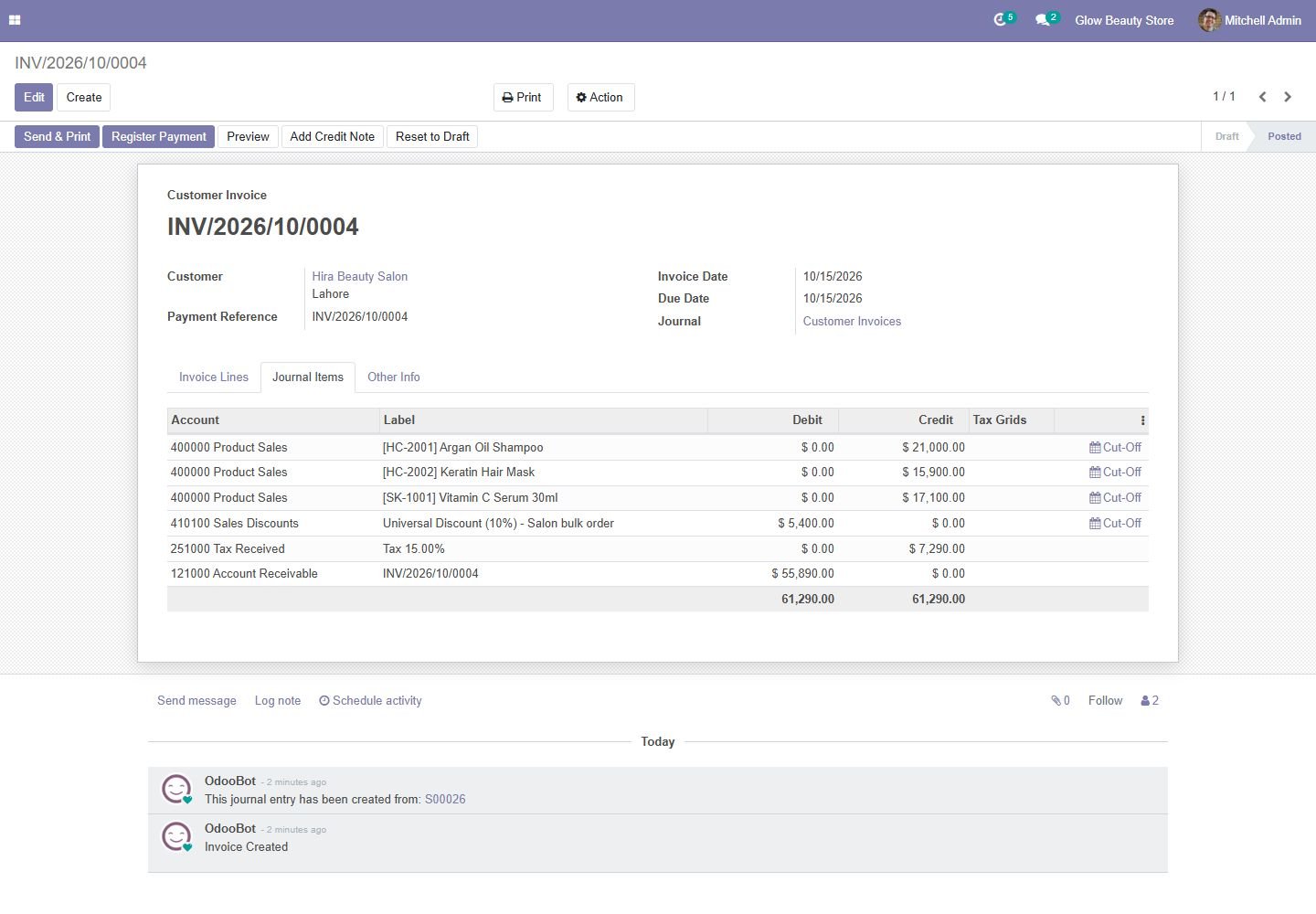
Posted to your discount account

The discount is booked to the Sales Discount account you choose, not netted into revenue.

Posted to your discount account
Step 6

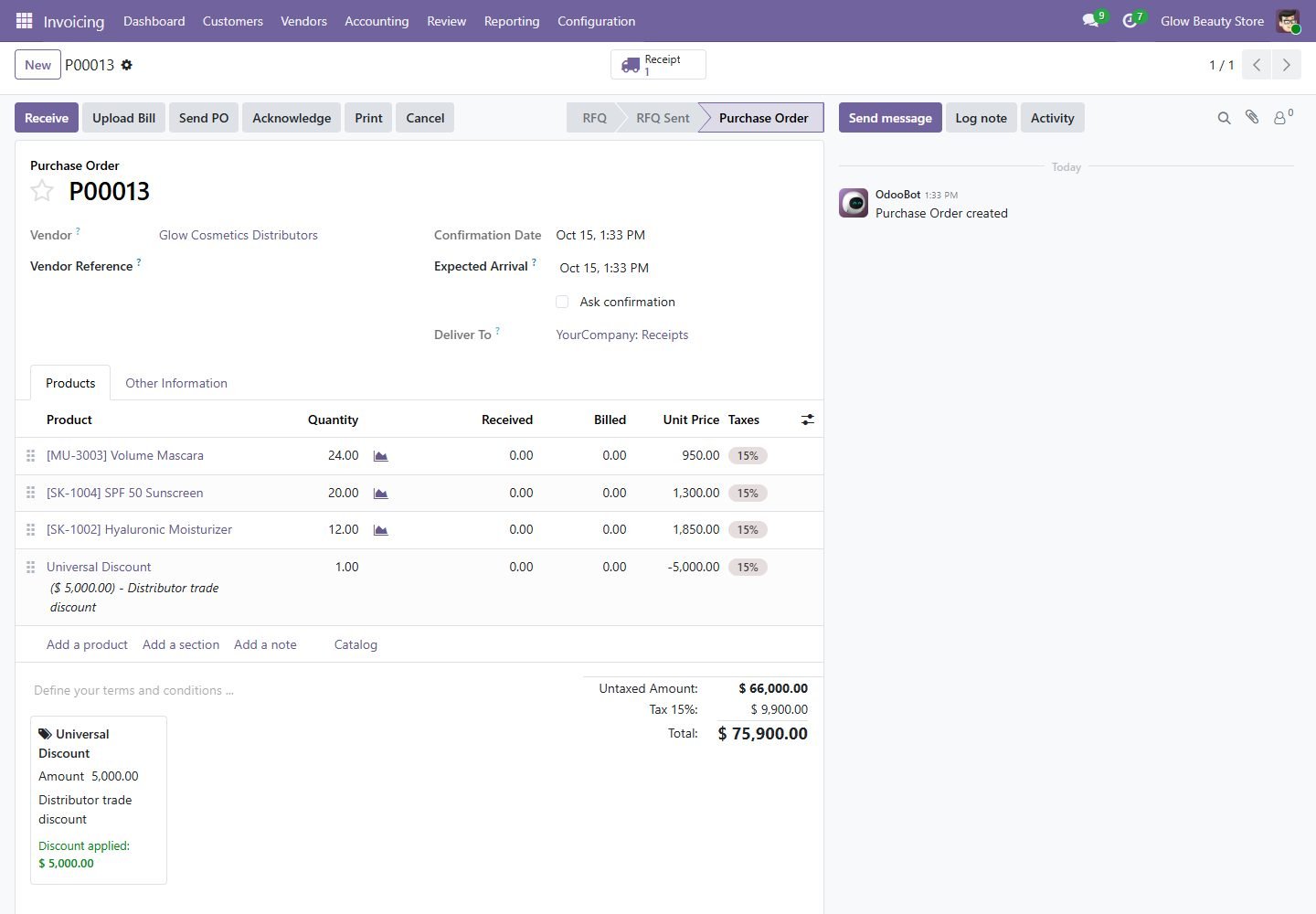
Vendor discounts on purchases

Trade discounts on purchase orders flow to the vendor bill and the Purchase Discount account.

Vendor discounts on purchases
Step 7

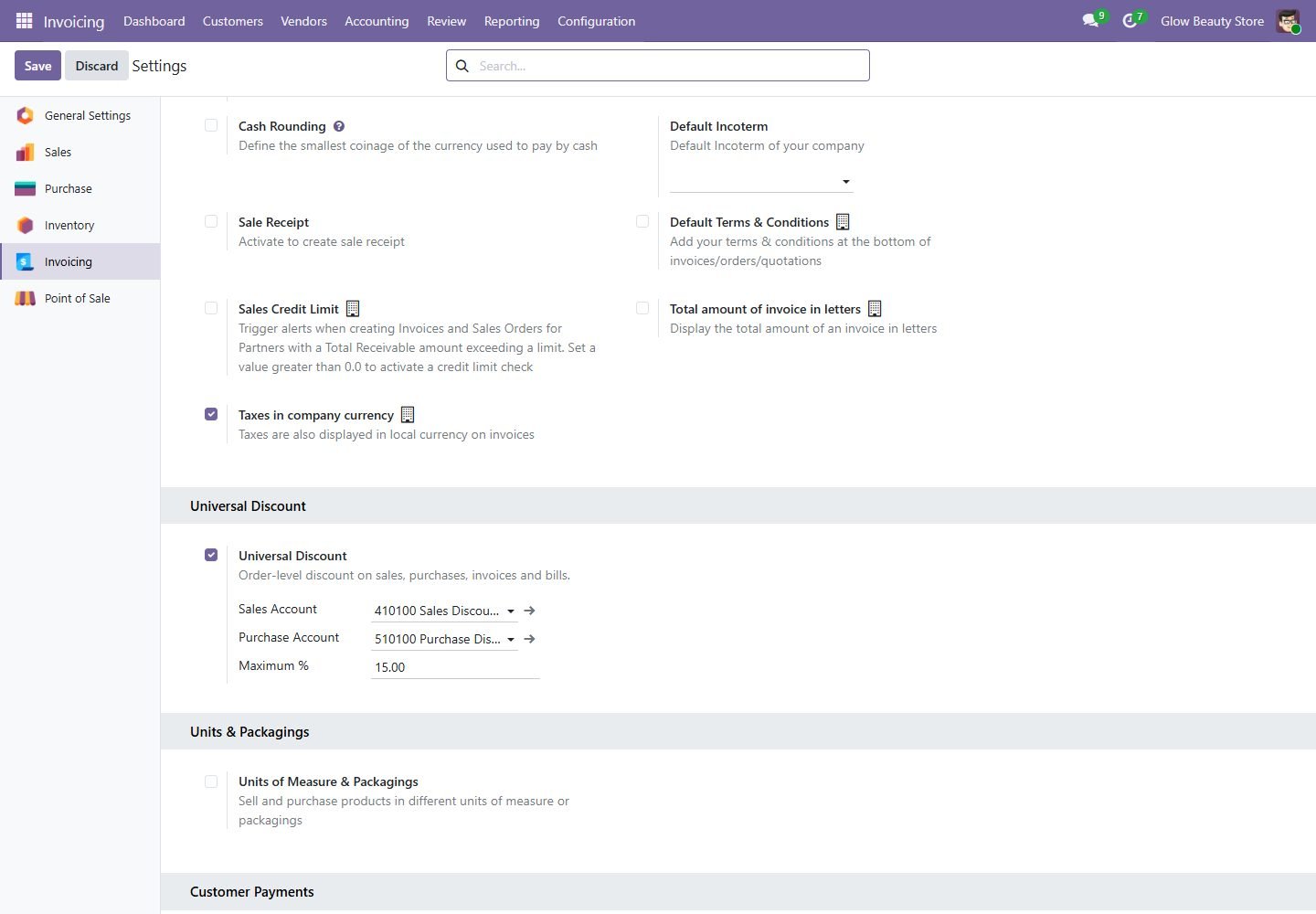
Settings

Turn it on per company, choose the sales and purchase discount accounts and the maximum %.

Settings
Step 8

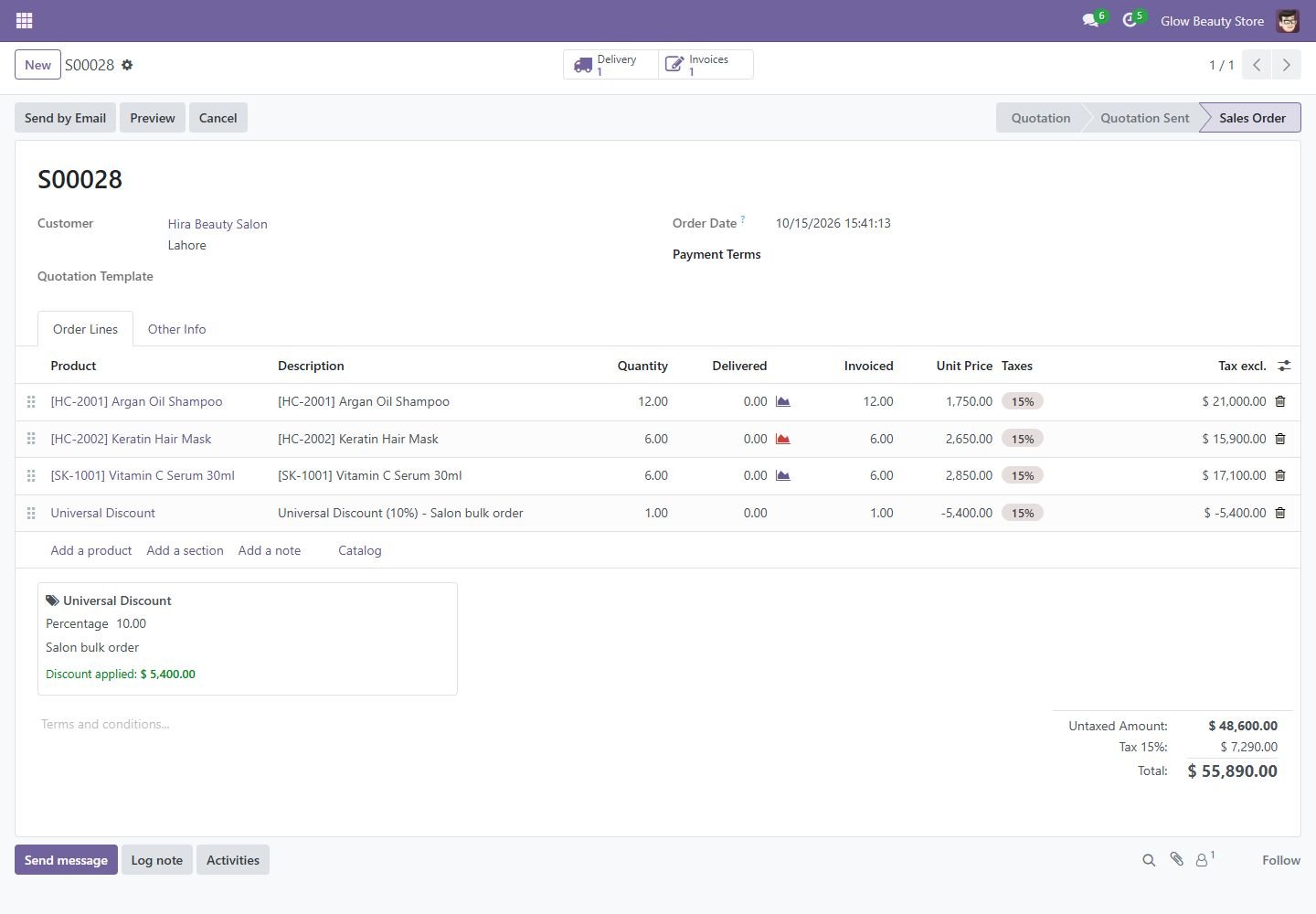
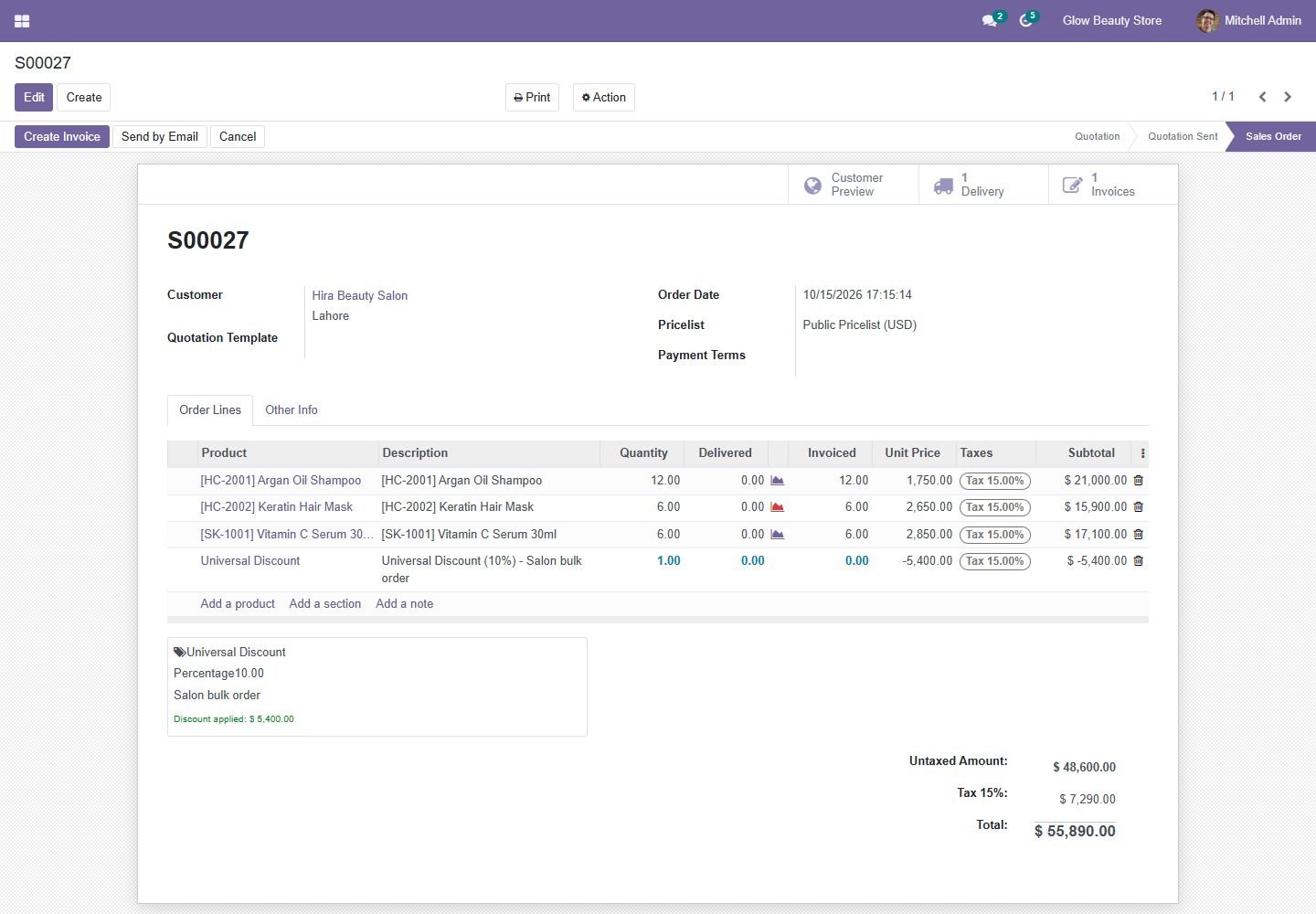
Odoo 18: universal discount on a sales order

Percentage discount added as a line per tax, with the reason.

Odoo 18: universal discount on a sales order
Step 9

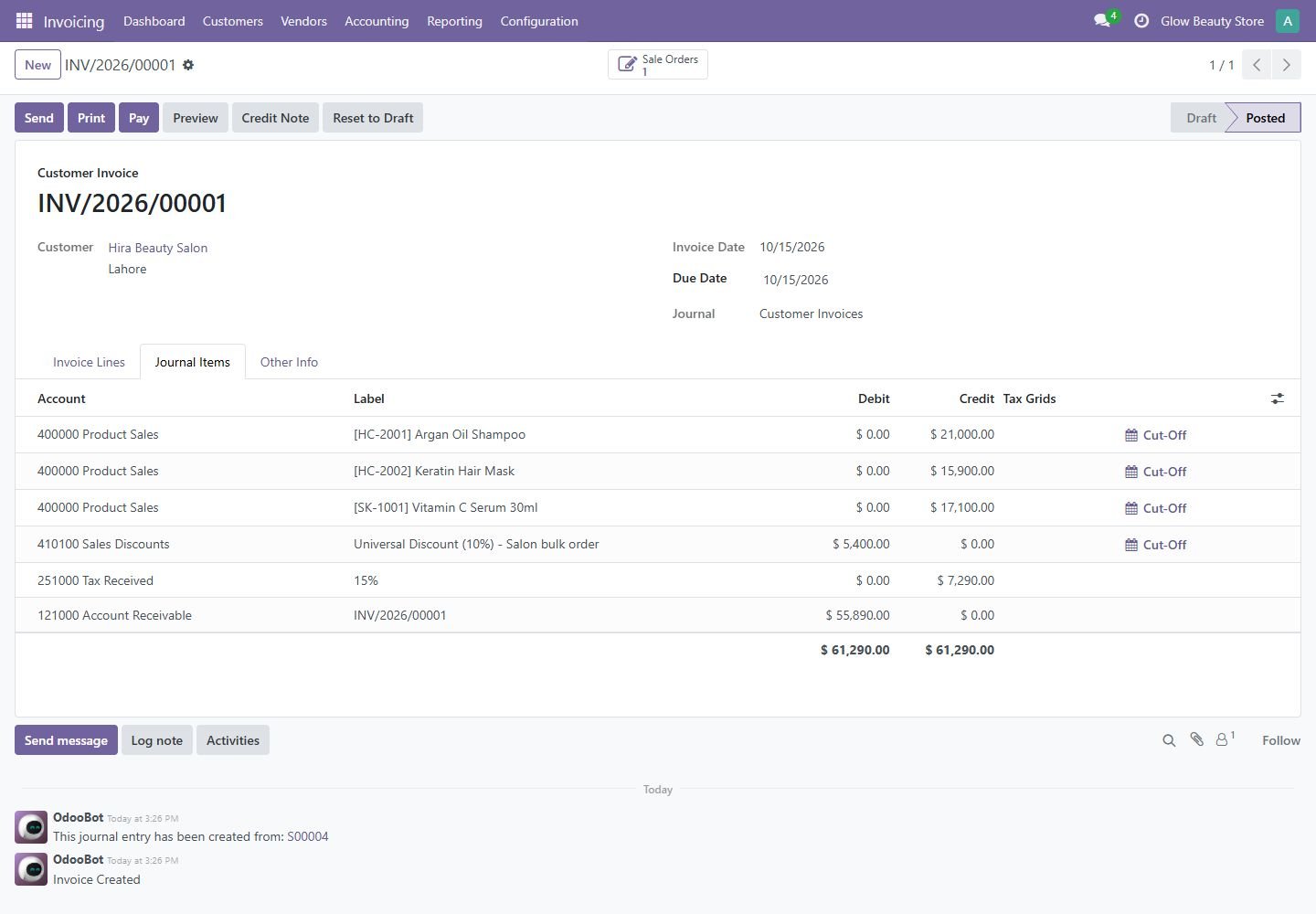
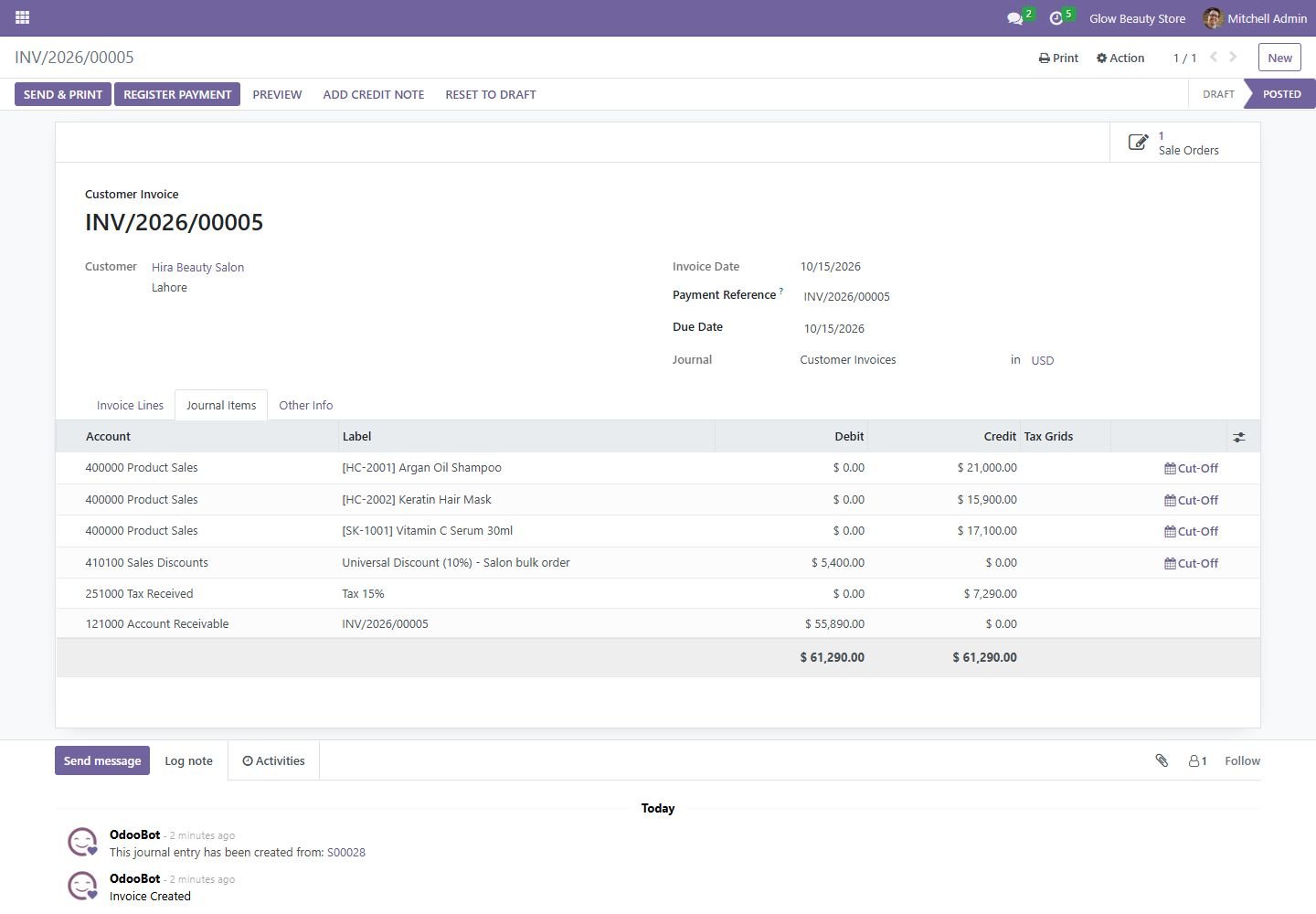
Odoo 18: discount posted to its own account

Journal items show the discount on the Sales Discount account.

Odoo 18: discount posted to its own account
Step 10

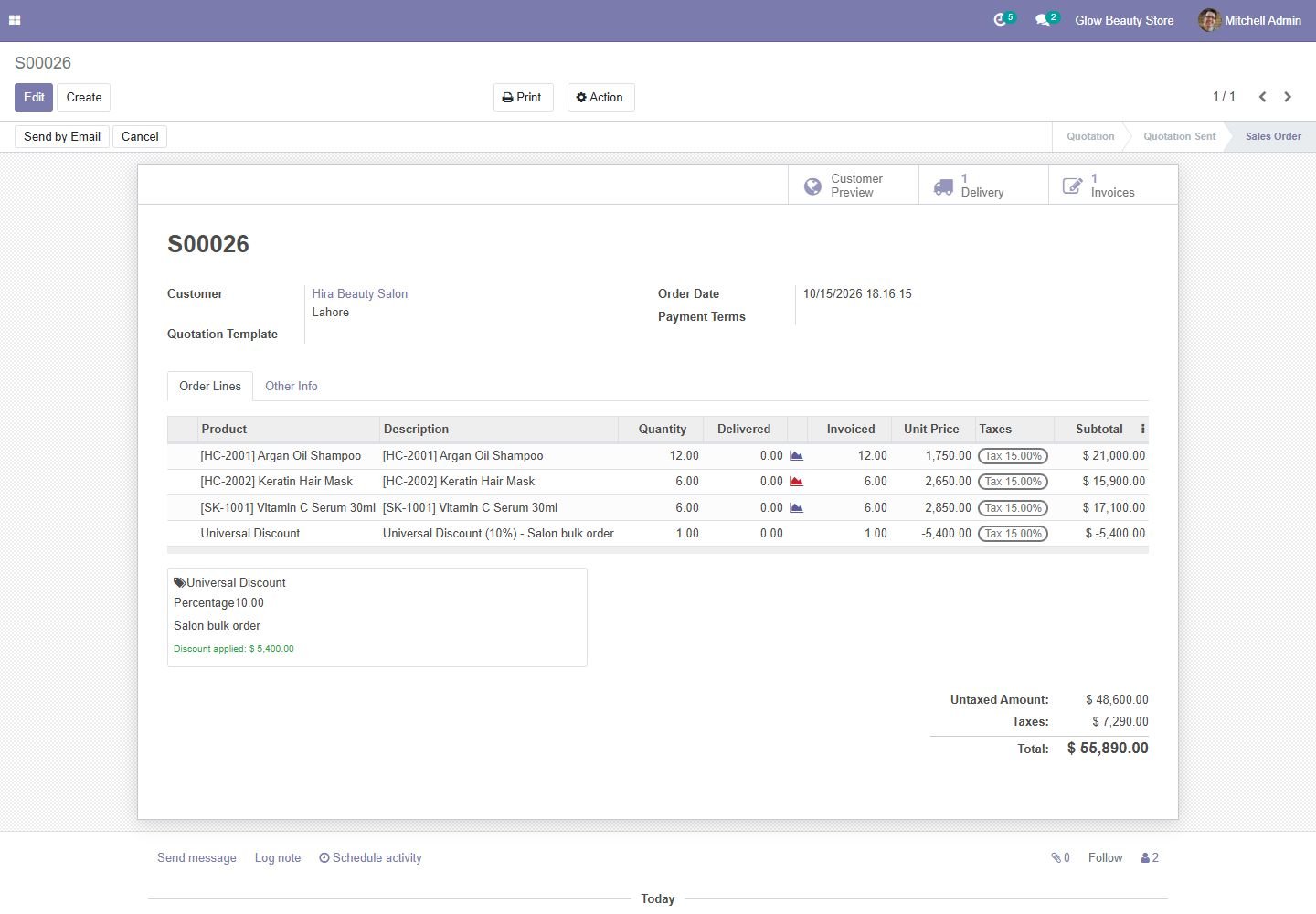
Odoo 17: universal discount on a sales order

Percentage discount added as a line per tax, with the reason.

Odoo 17: universal discount on a sales order
Step 11

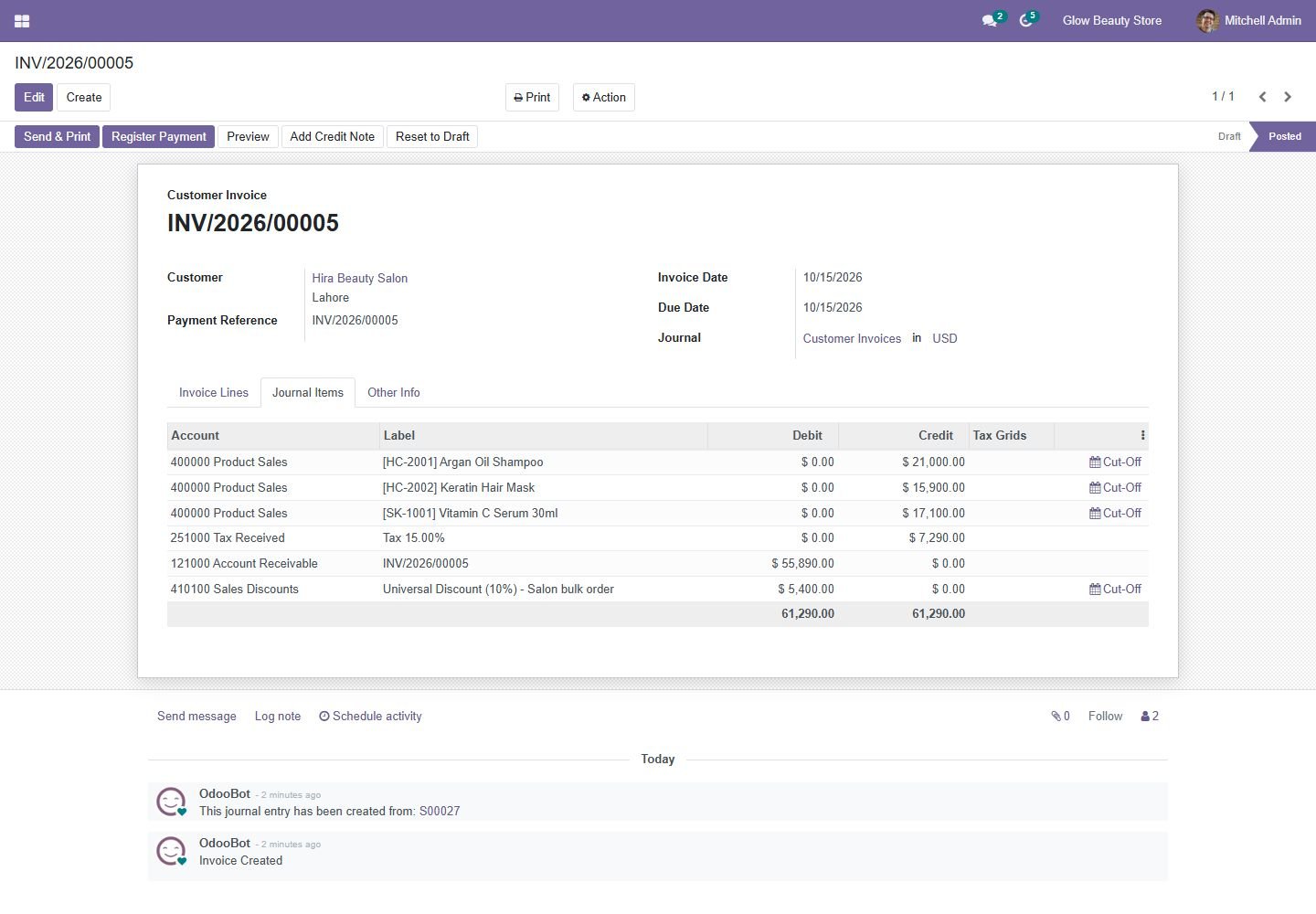
Odoo 17: discount posted to its own account

Journal items show the discount on the Sales Discount account.

Odoo 17: discount posted to its own account
Step 12

Odoo 16: universal discount on a sales order

Percentage discount added as a line per tax, with the reason.

Odoo 16: universal discount on a sales order
Step 13

Odoo 16: discount posted to its own account

Journal items show the discount on the Sales Discount account.

Odoo 16: discount posted to its own account
Step 14

Odoo 15: universal discount on a sales order

Percentage discount added as a line per tax, with the reason.

Odoo 15: universal discount on a sales order
Step 15

Odoo 15: discount posted to its own account

Journal items show the discount on the Sales Discount account.

Odoo 15: discount posted to its own account
Step 16

Odoo 14: universal discount on a sales order

Percentage discount added as a line per tax, with the reason.

Odoo 14: universal discount on a sales order
Step 17

Odoo 14: discount posted to its own account

Journal items show the discount on the Sales Discount account.

Odoo 14: discount posted to its own account
Common questions

Questions aboutthis module.

Something else? Ask our team.

Odoo 14, 15, 16, 17, 18 and 19 (Community and Enterprise). Pick your version on this page.

Yes, you can request free deployment after purchase.

Not sure it's theright fit?

Book a free consultation and we'll help you pick the right modules for your workflow.