
Sales & eCommerce

Gold Management System - Gold Trading & Jewellery

Odoo gold management system and jewellery ERP for Odoo 14 to 20: daily gold rates by karat (tola and gram), automatic weight-based pricing on purchases, sales and POS, manufacturing with real gold wastage, karigar gold ledger, gold tags with barcode labels, old gold exchange, custom and repair orders, rate booking, approval memos, diamonds with 4Cs and certificates, savings schemes, FBR reporting, silver and platinum.

$200 USD
Choose your Odoo version
Ask a question
Built by an Odoo partner Initial setup support Download link by email
Gold Management System - Gold Trading & Jewellery
What's included

Key features

1

Daily karat rates

Enter the 24K tola rate and every karat, silver and platinum is priced per tola and per gram.

2

Automatic weight pricing

Net weight, wastage, karat rate, making and stone charges calculated on every line.

3

Real wastage in manufacturing

Fine gold issued vs produced, scrap back to stock and true gold loss per order.

4

Tags, labels and POS scan

One tag per piece with its own weight; scan in the POS to sell at today's price.

5

Karigar and customer gold ledger

Gold given and received in fine grams, labour bills and day closing.

6

Diamonds with 4Cs

Certified stones, your price per carat and stones inside each piece.

7

Orders, booking and schemes

Custom and repair orders, rate booking, approval memos and savings schemes.

8

FBR and WhatsApp ready

FBR invoice reporting and daily rate messages to customers.

Inside the module

Screenshots

Real screens from Gold Management System - Gold Trading & Jewellery — click any image to see it full size.

Step 1

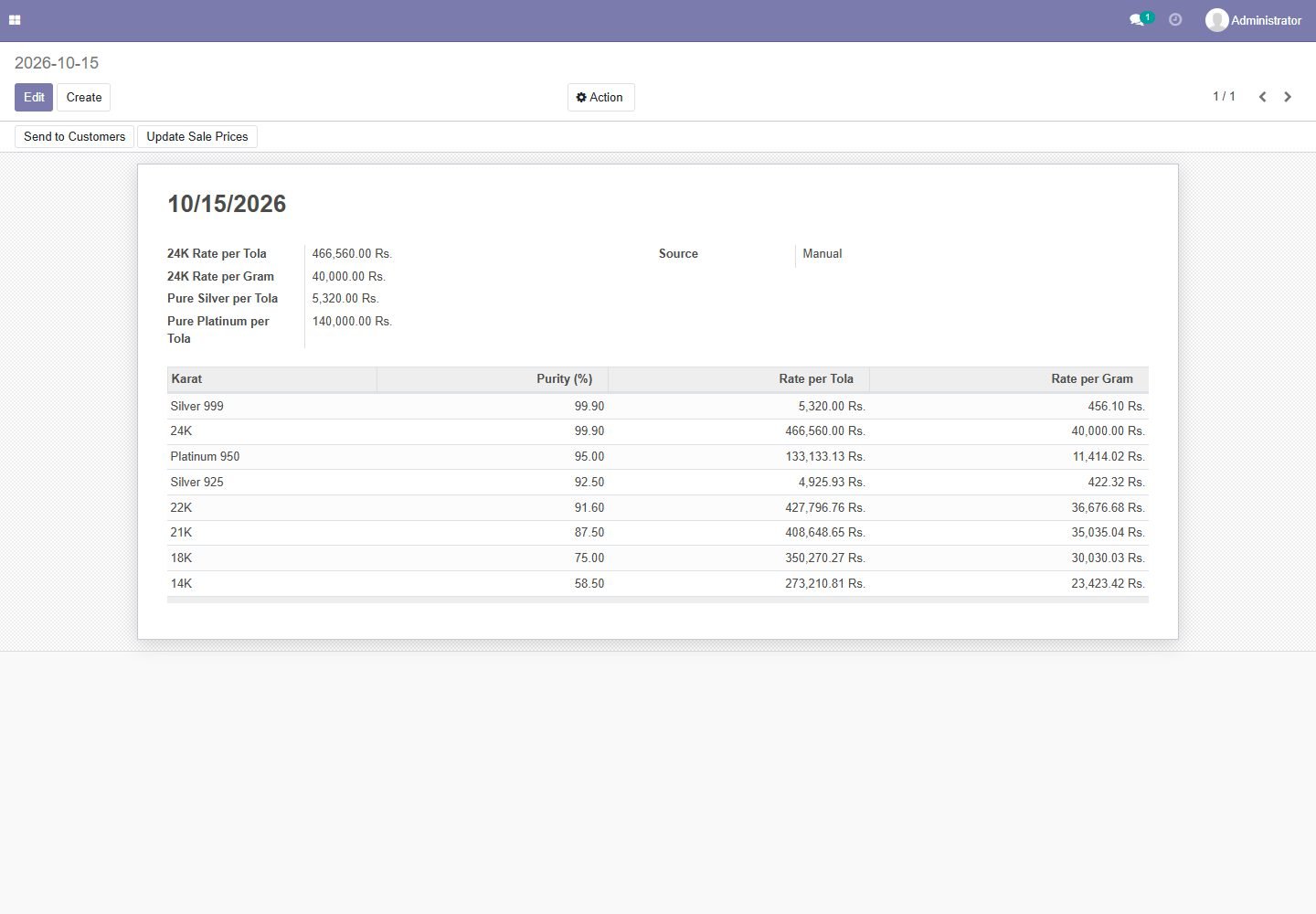
Daily gold rate for every karat

Enter the 24K tola rate once; 22K, 21K, 18K, 14K, silver and platinum are worked out per tola and per gram.

Daily gold rate for every karat
Step 2

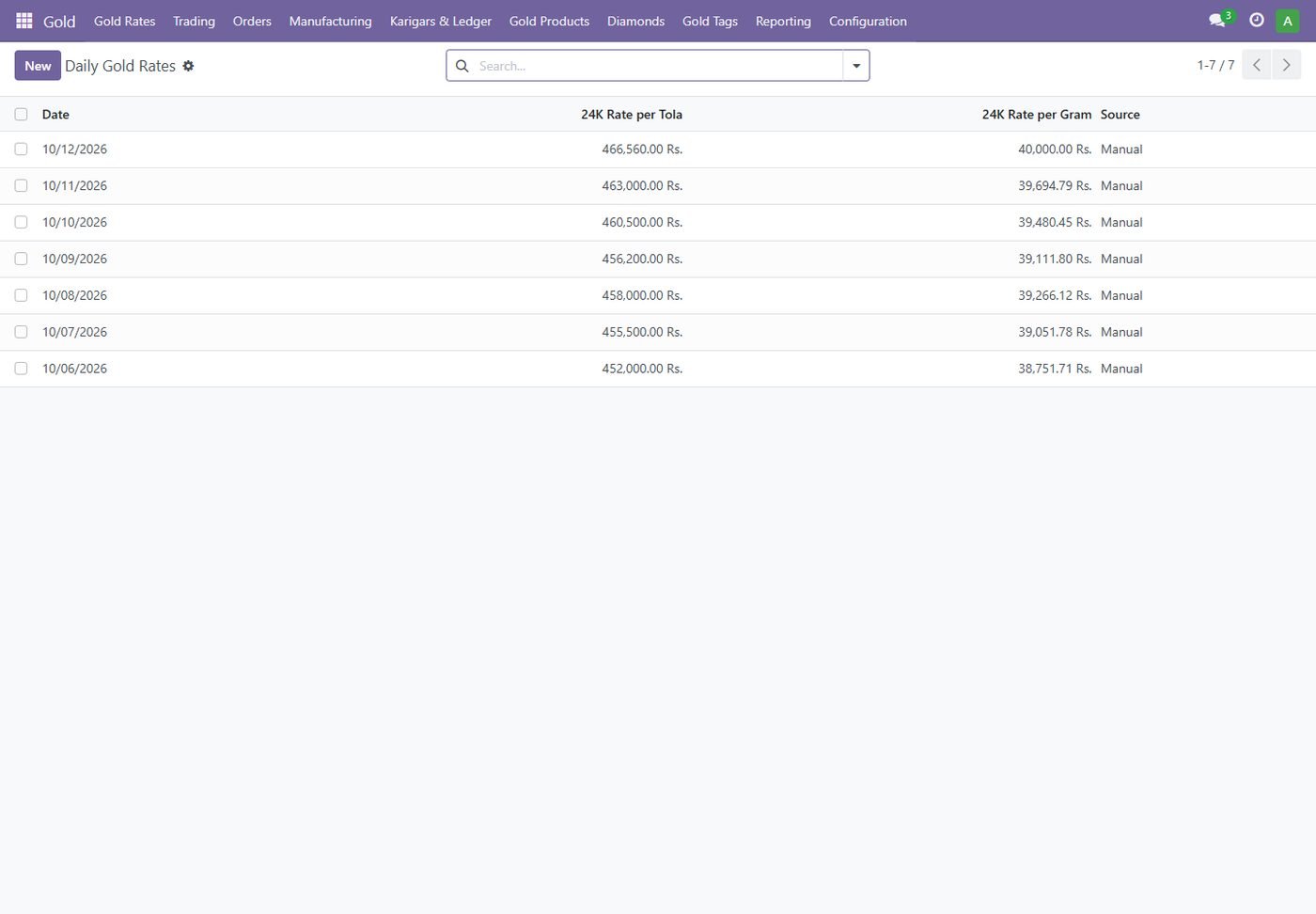
Rate history

Every day's rate is kept, so old orders and reports always use the right rate.

Rate history
Step 3

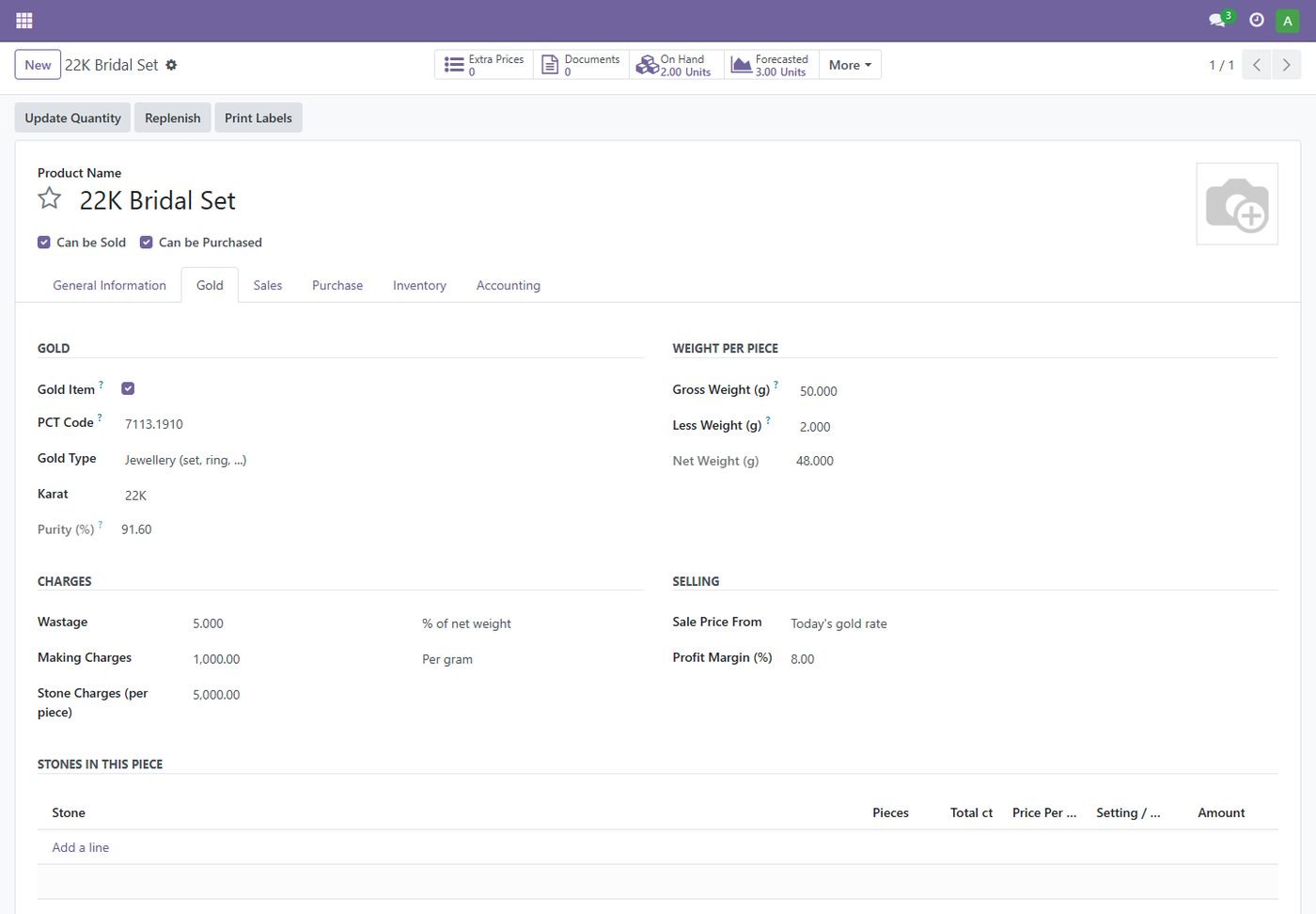
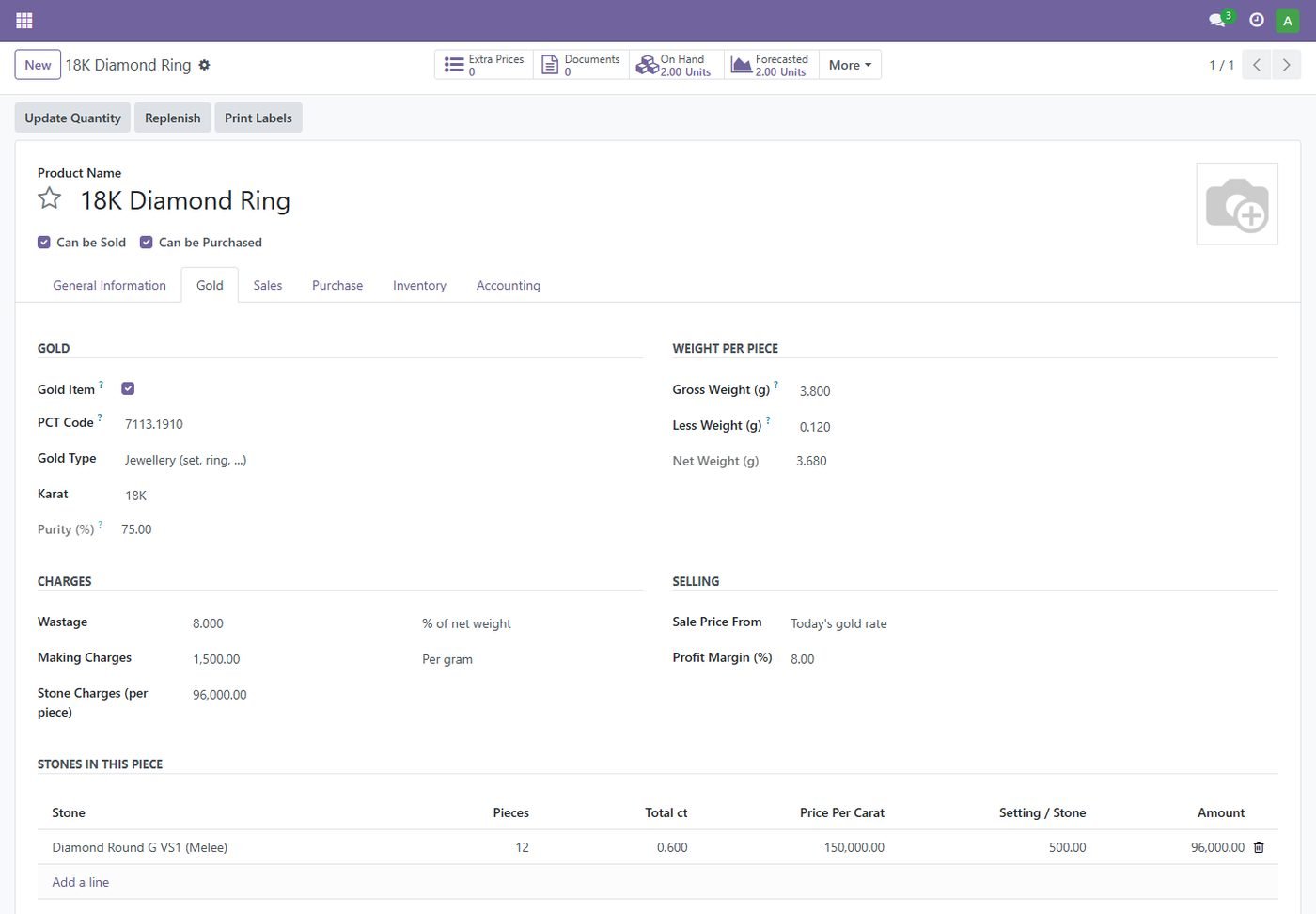
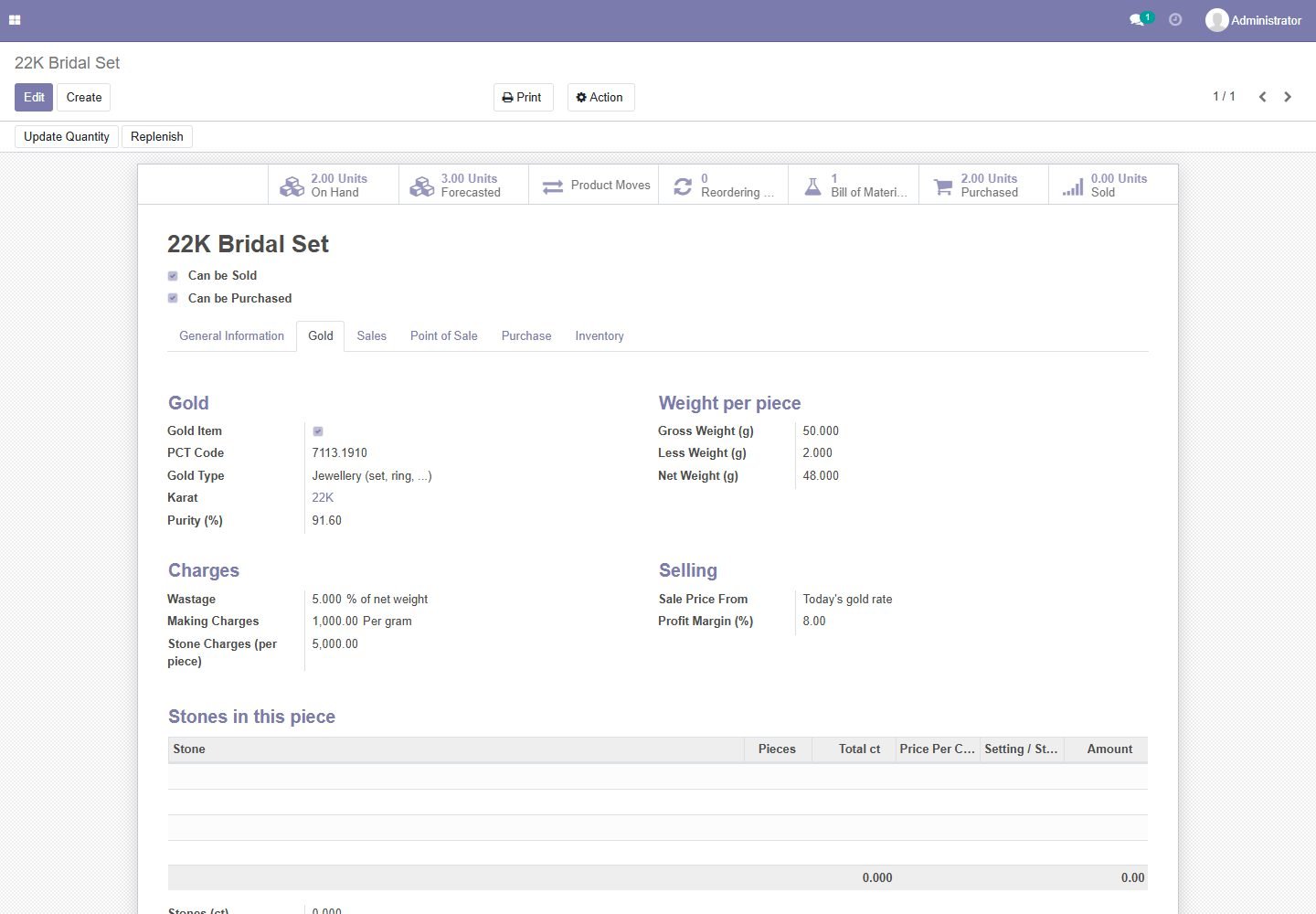
Gold settings on each product

Karat, gross / less / net weight, wastage, making charges, stone charges and profit margin.

Gold settings on each product
Step 4

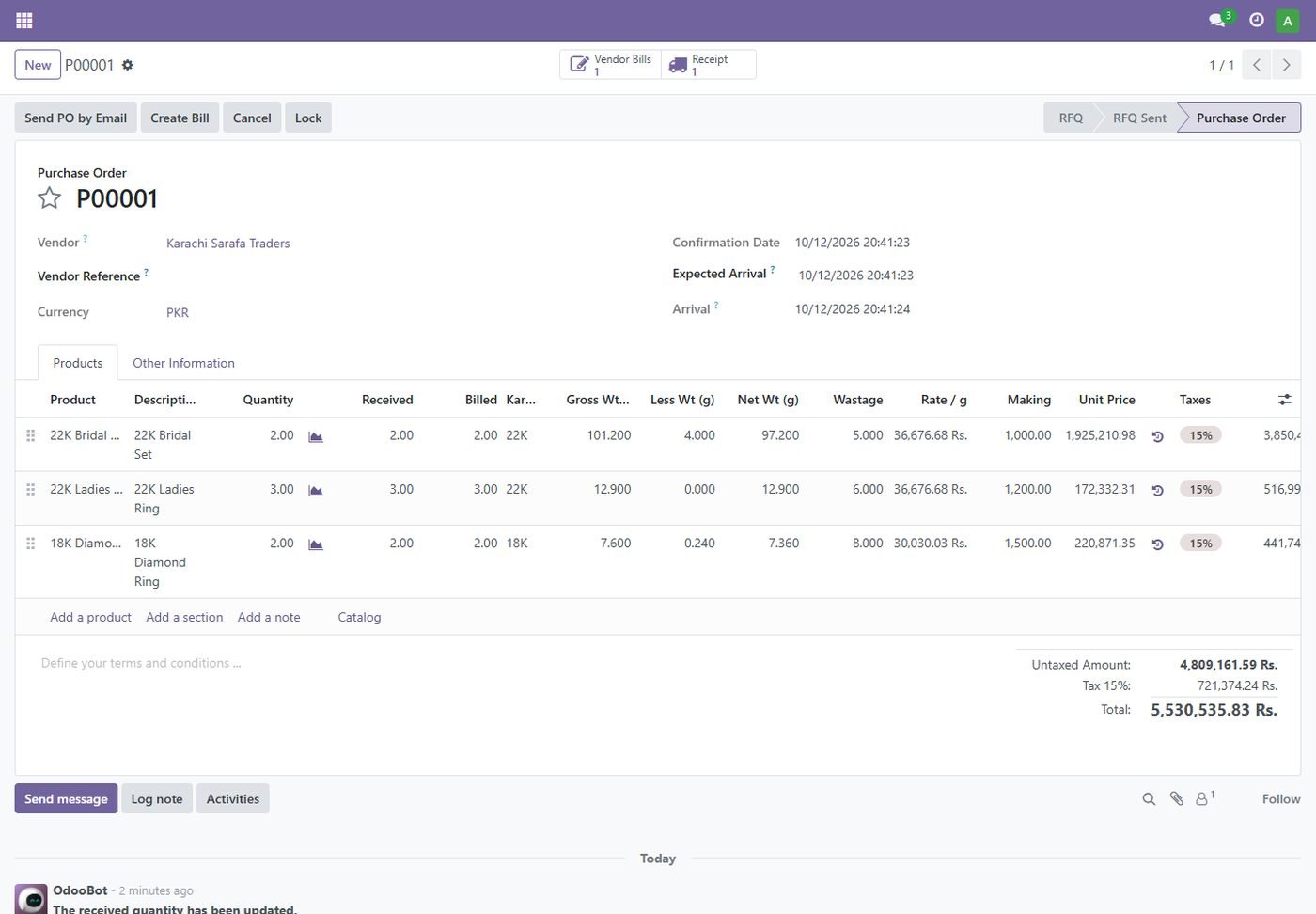
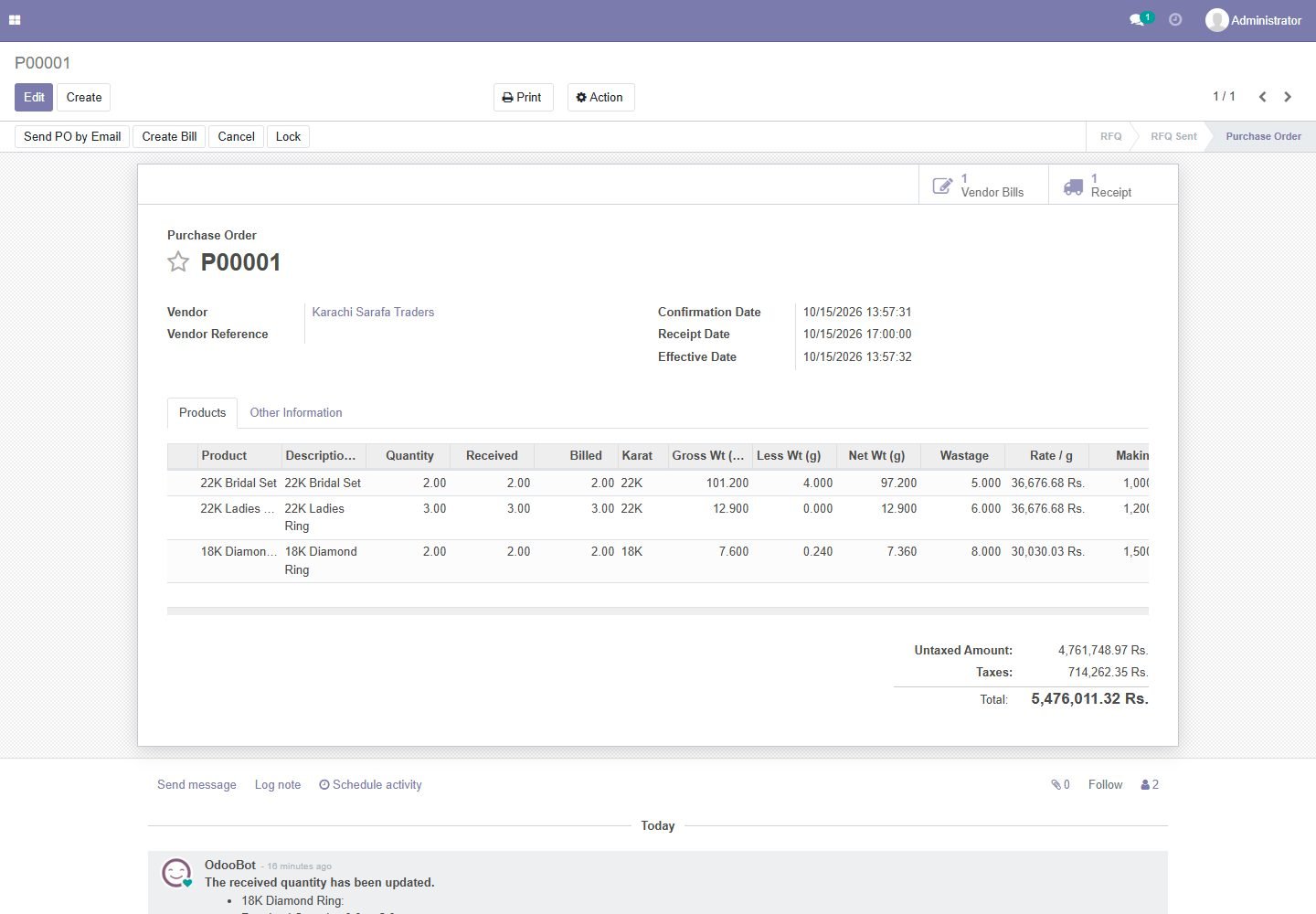
Purchase priced by weight

Gold lines are priced automatically: (net weight + wastage) x karat rate + making + stones.

Purchase priced by weight
Step 5

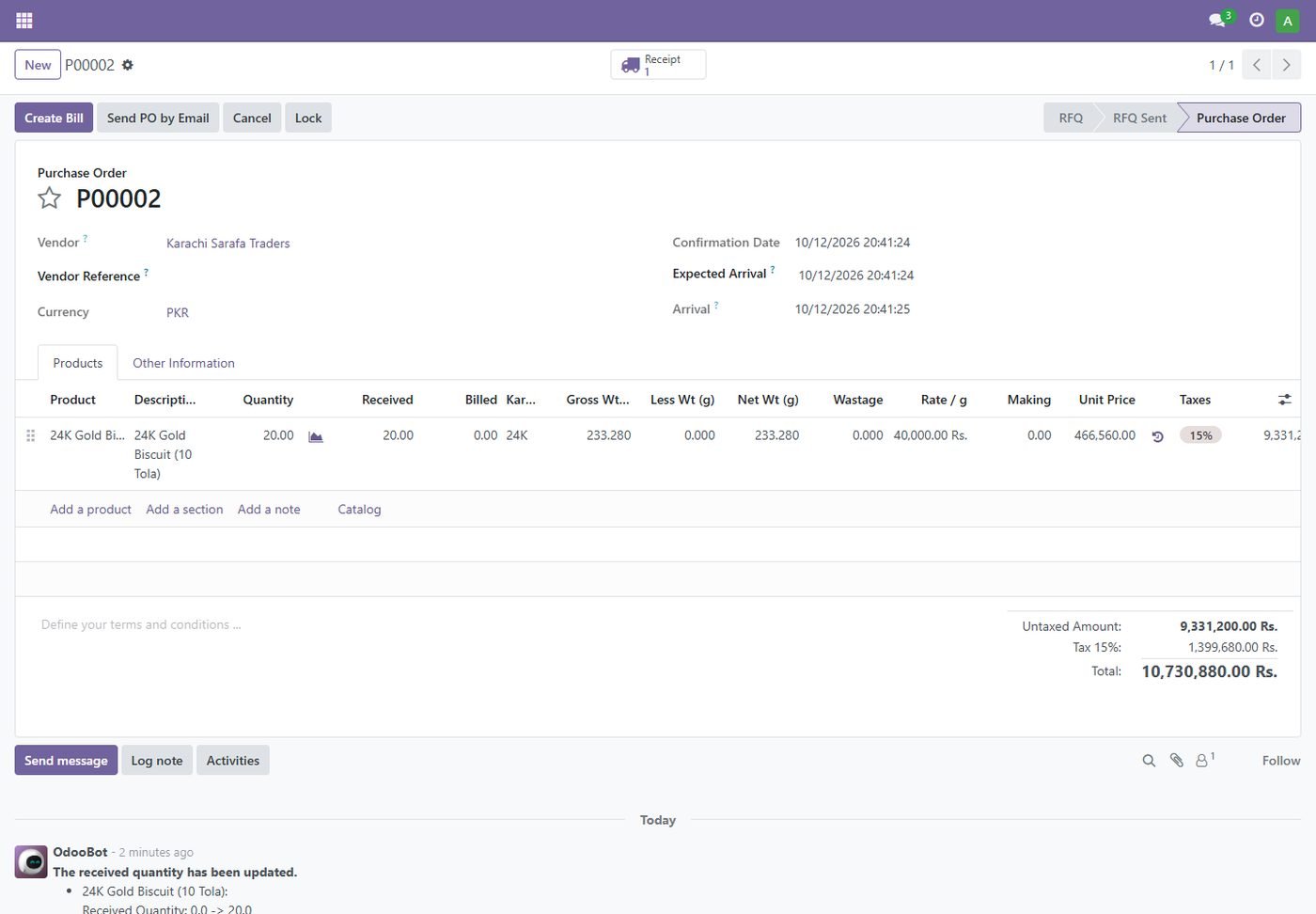
Buy gold biscuits in tola

Biscuits are bought in tola and stocked in grams at the 24K rate.

Buy gold biscuits in tola
Step 6

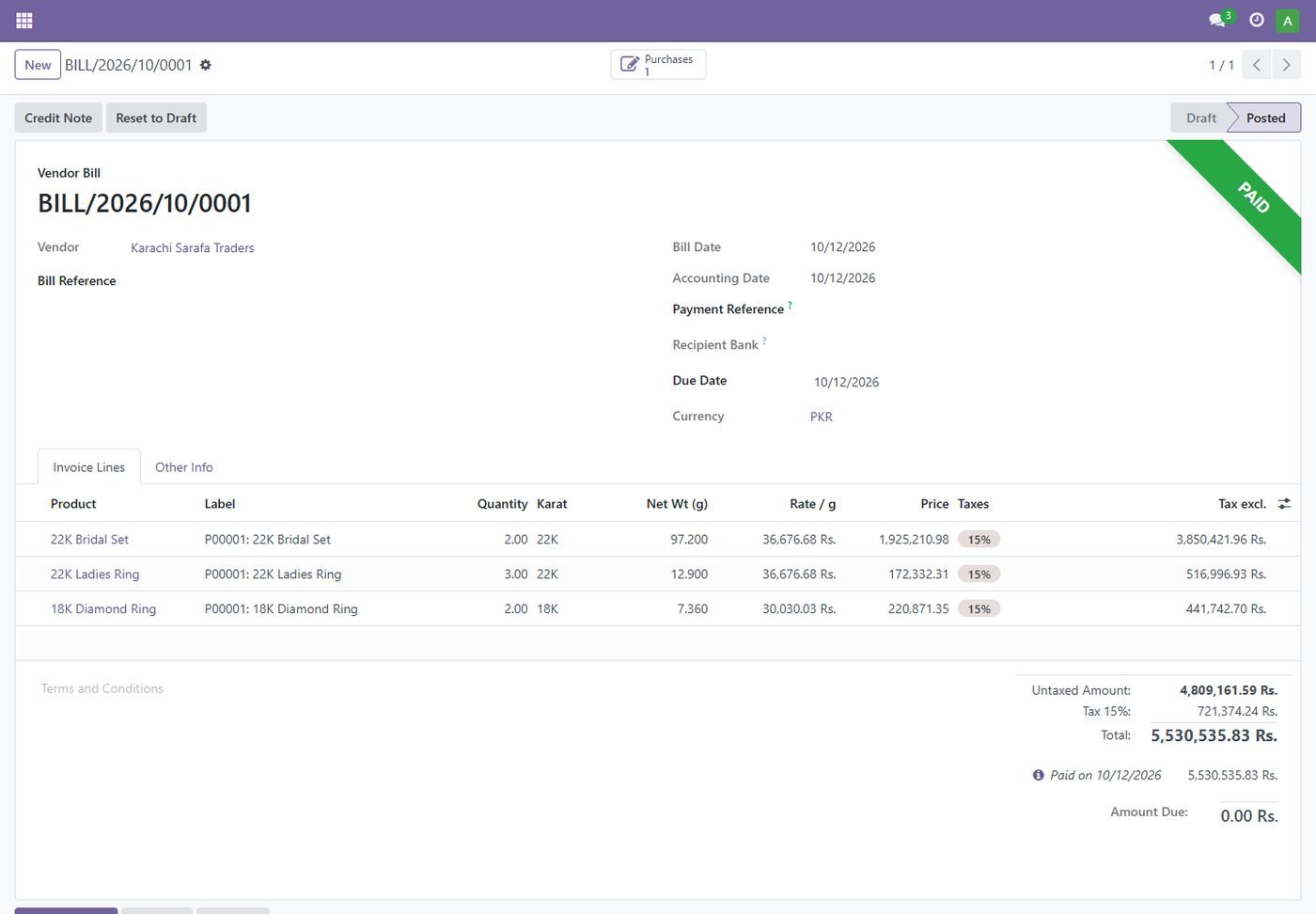
Vendor bill with gold details

Karat, net weight and rate per gram flow from the purchase to the bill.

Vendor bill with gold details
Step 7

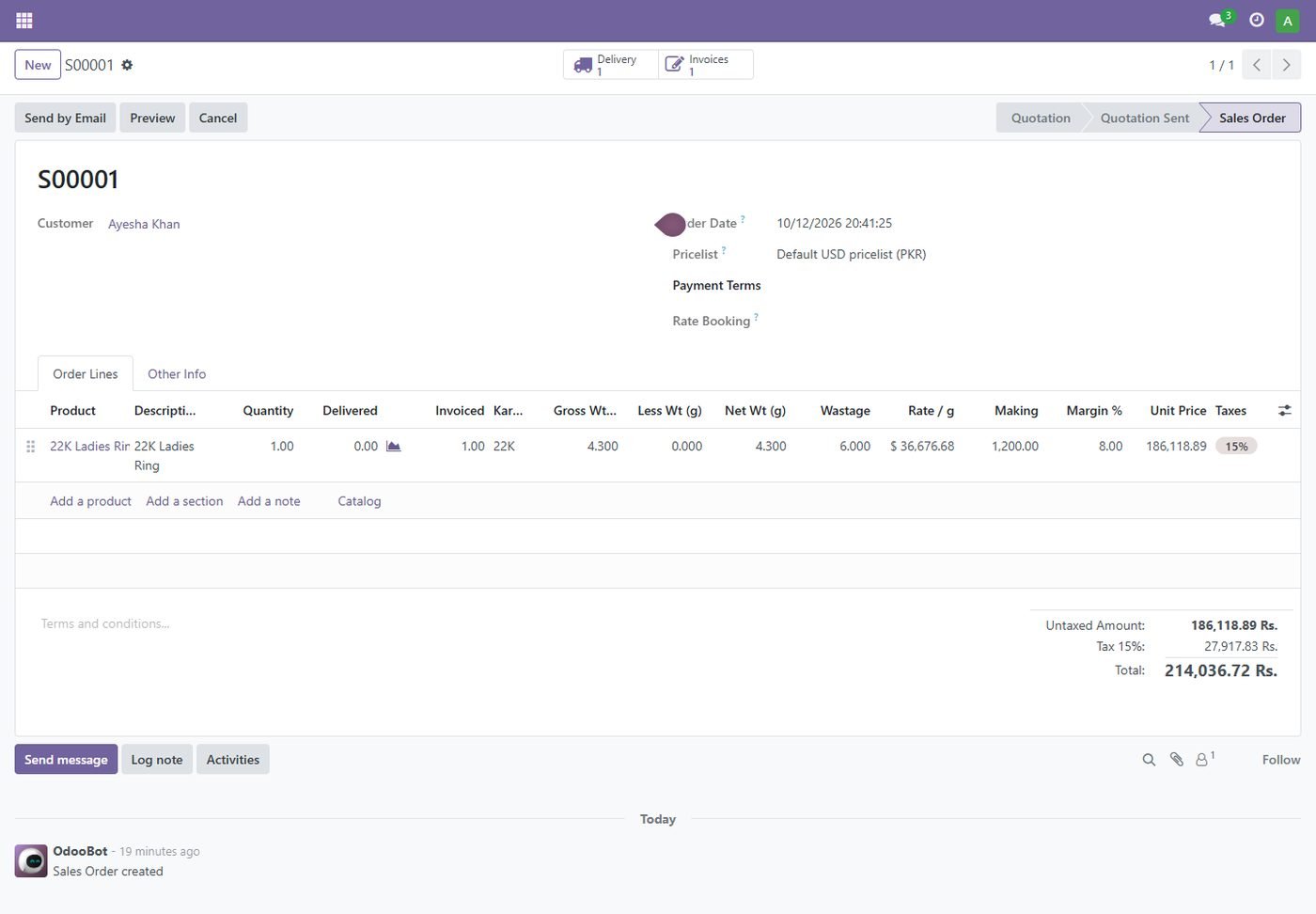
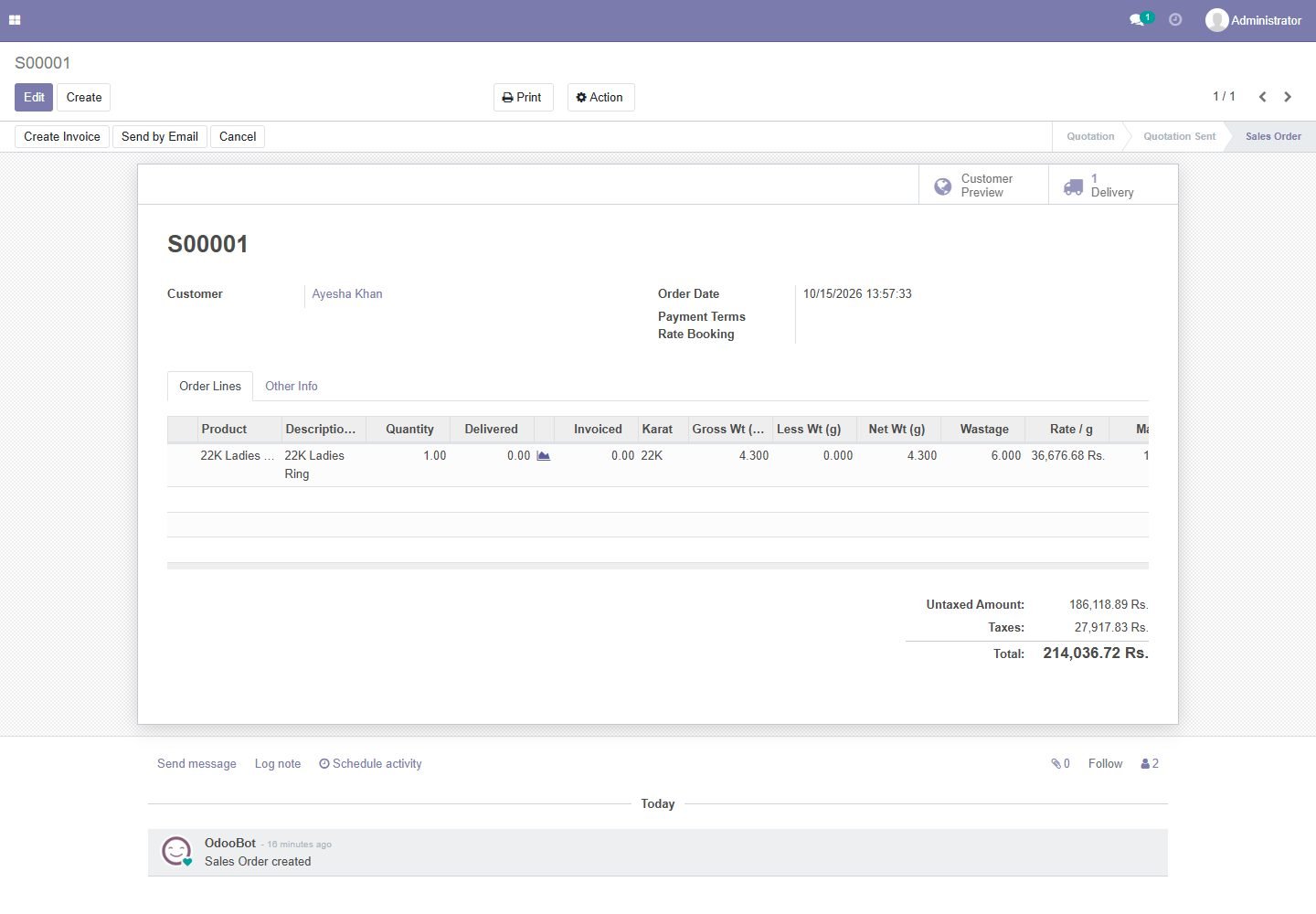
Sell at today's rate

Sale lines take today's karat rate, wastage, making and your profit margin.

Sell at today's rate
Step 8

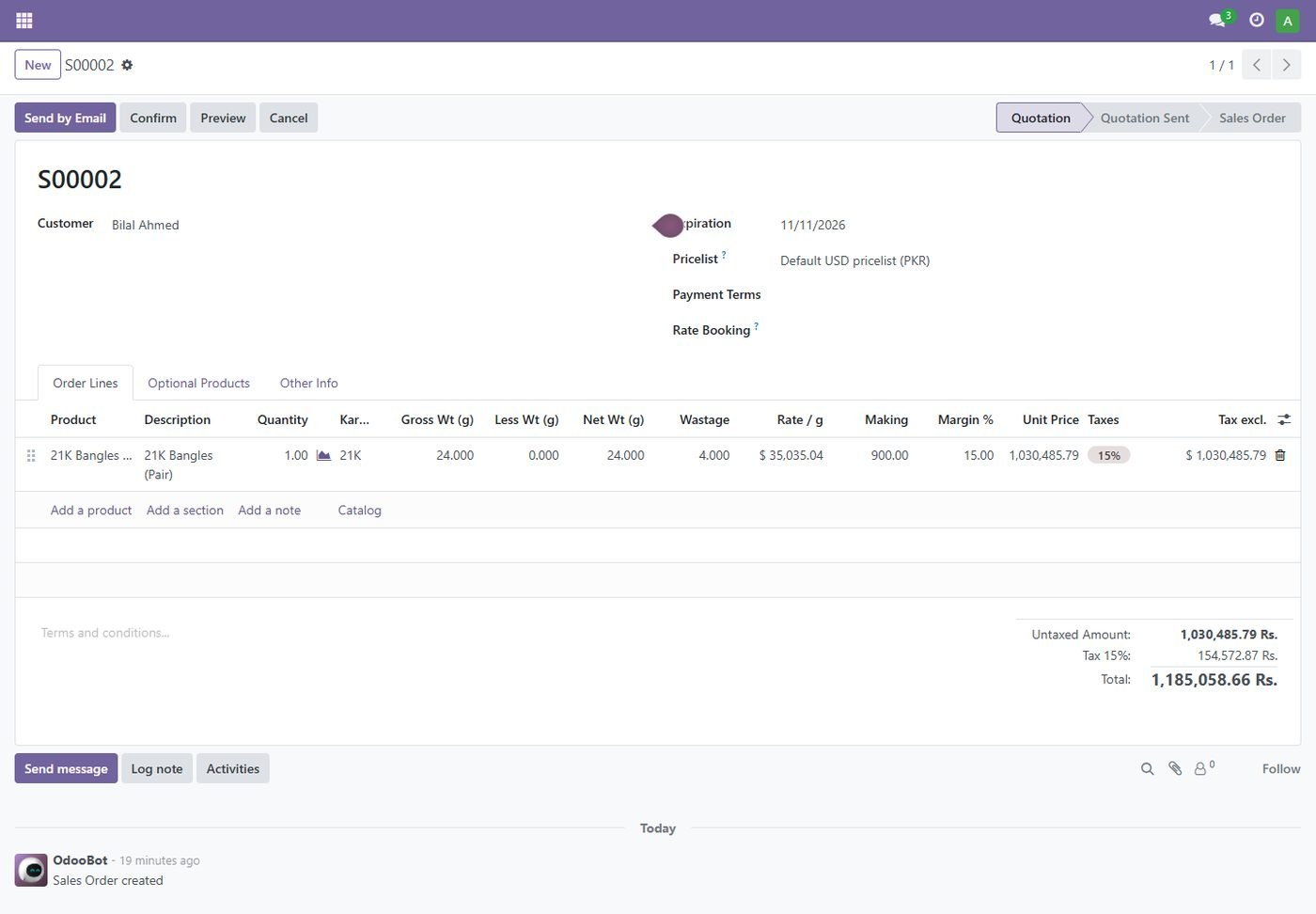
Resale at cost + margin

Resell a piece bought earlier at its purchase cost plus your margin, with profit per line.

Resale at cost + margin
Step 9

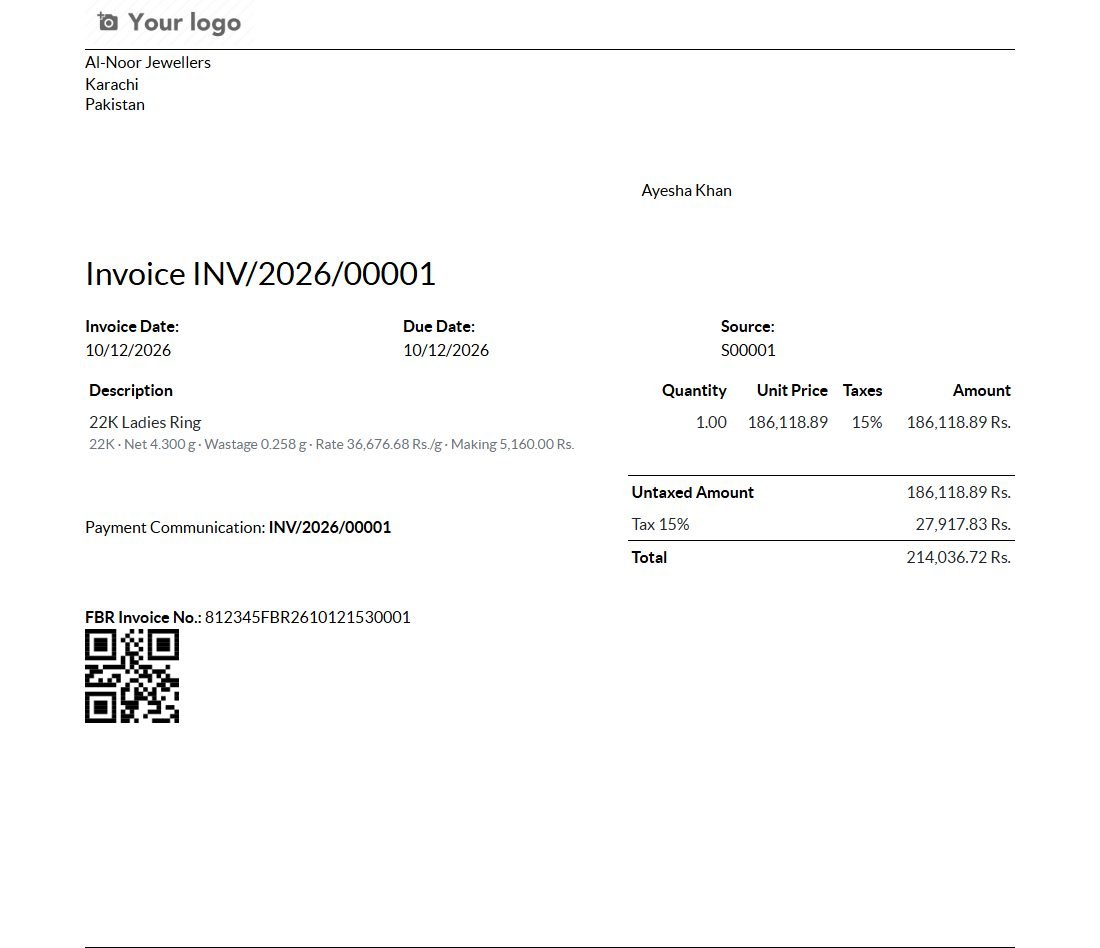
Printed invoice with gold details

Karat, net weight, wastage, rate and making under each line, plus FBR invoice number and QR.

Printed invoice with gold details
Step 10

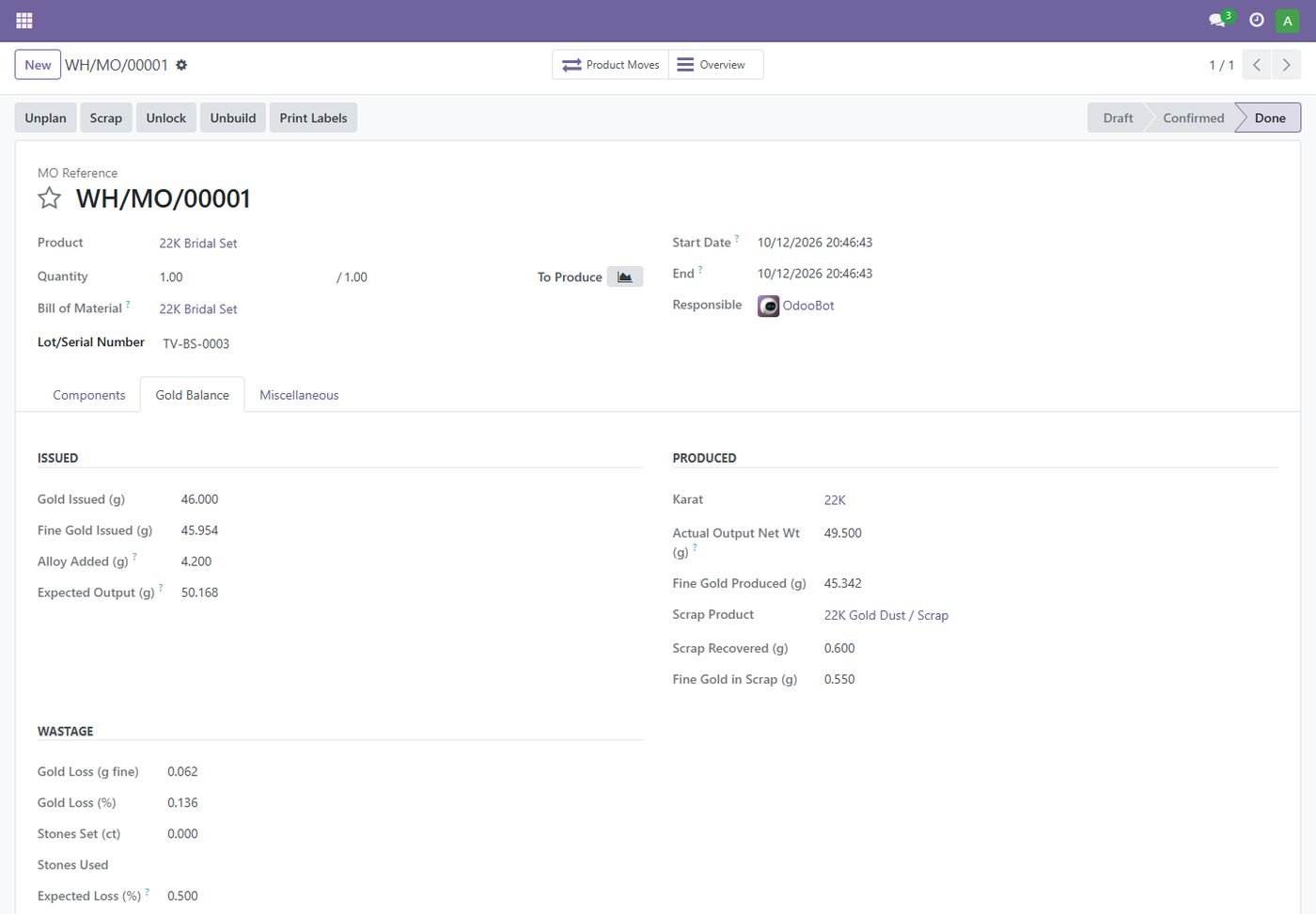
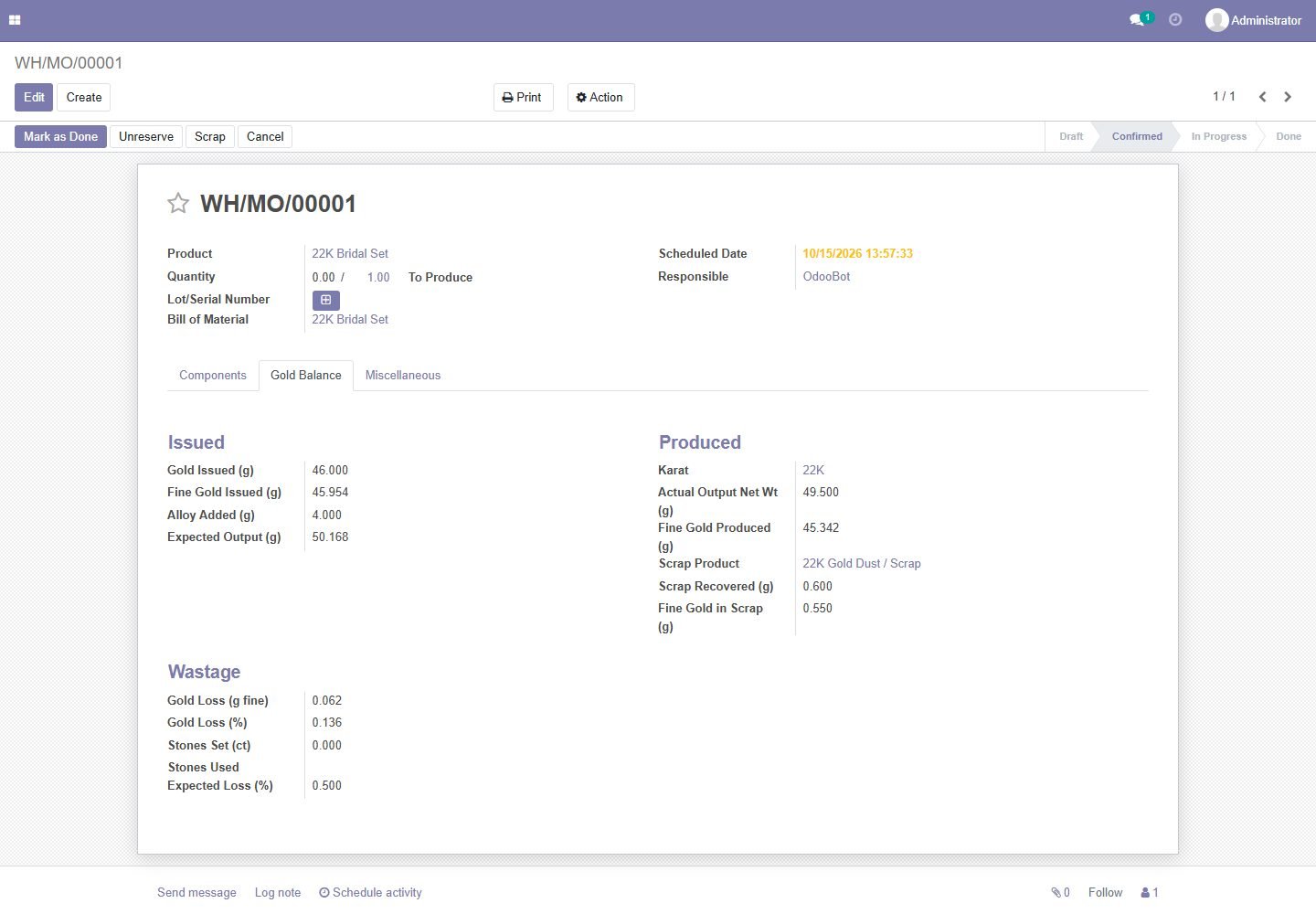
Manufacturing gold balance

Fine gold issued vs produced, alloy added, recovered scrap and the real gold loss against the expected loss.

Manufacturing gold balance
Step 11

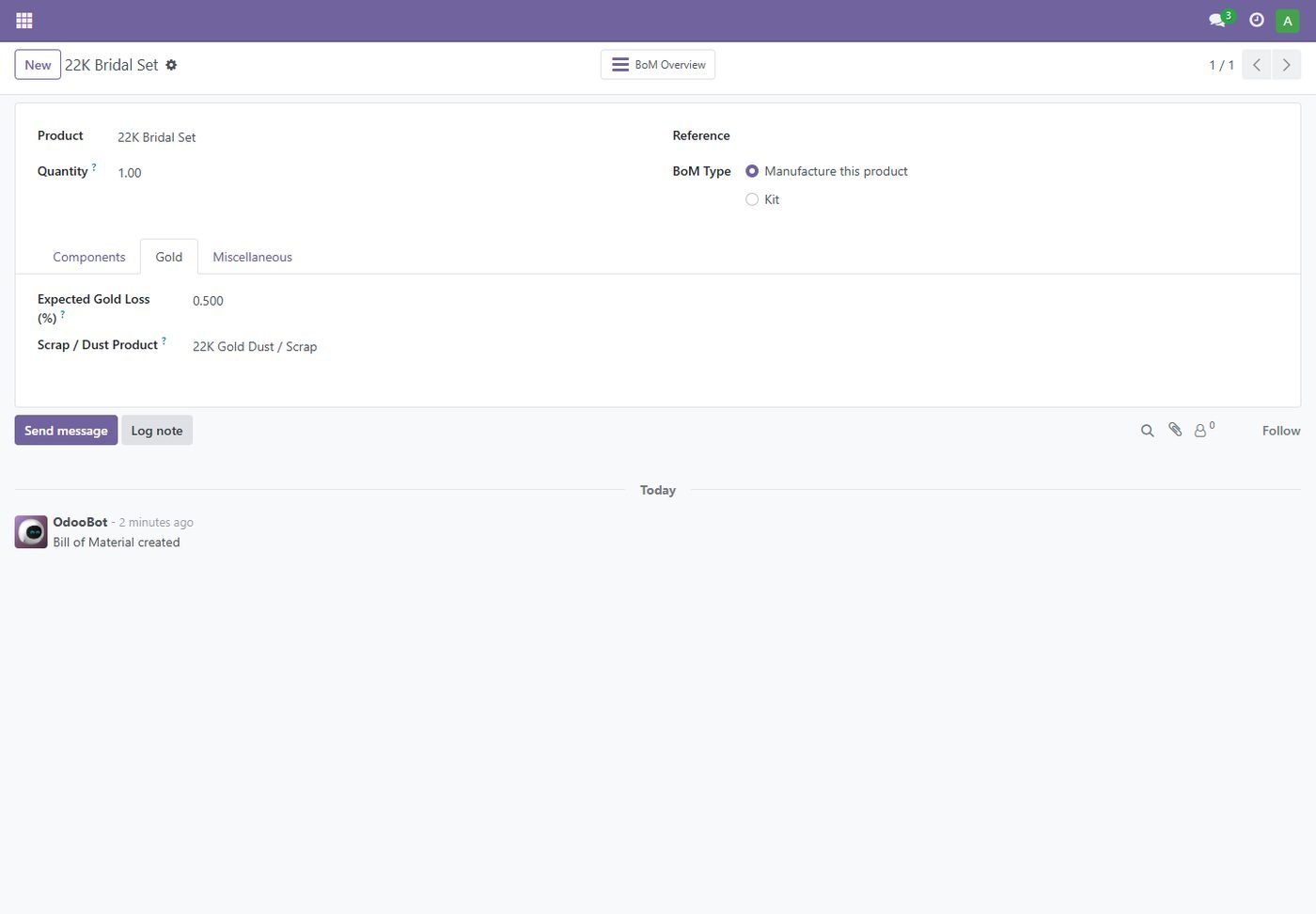
Bill of materials for jewellery

Expected gold loss and the scrap product recovered while making.

Bill of materials for jewellery
Step 12

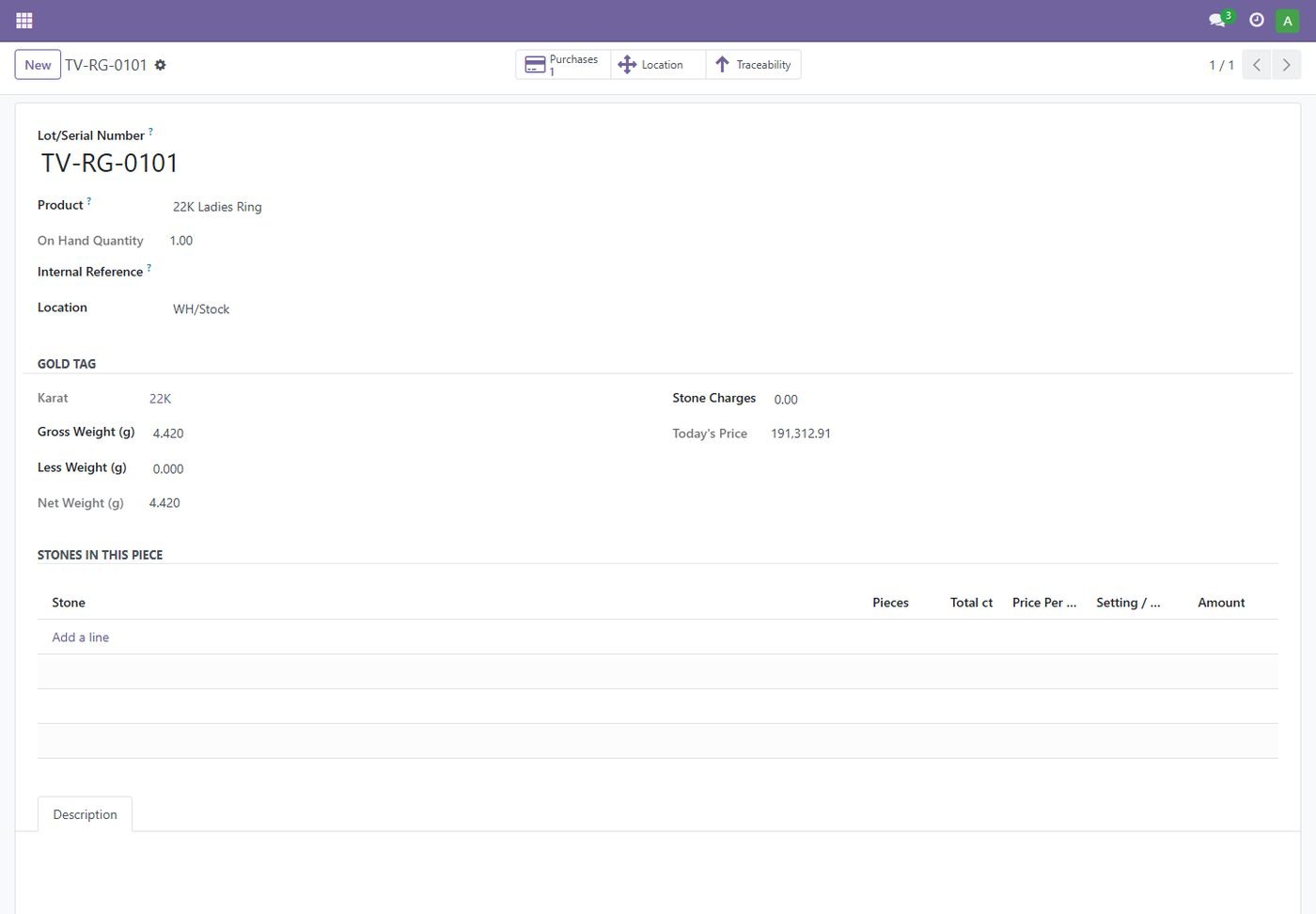
Gold tag for every piece

Each piece has its own serial with its exact gross, less and net weight and today's price.

Gold tag for every piece
Step 13

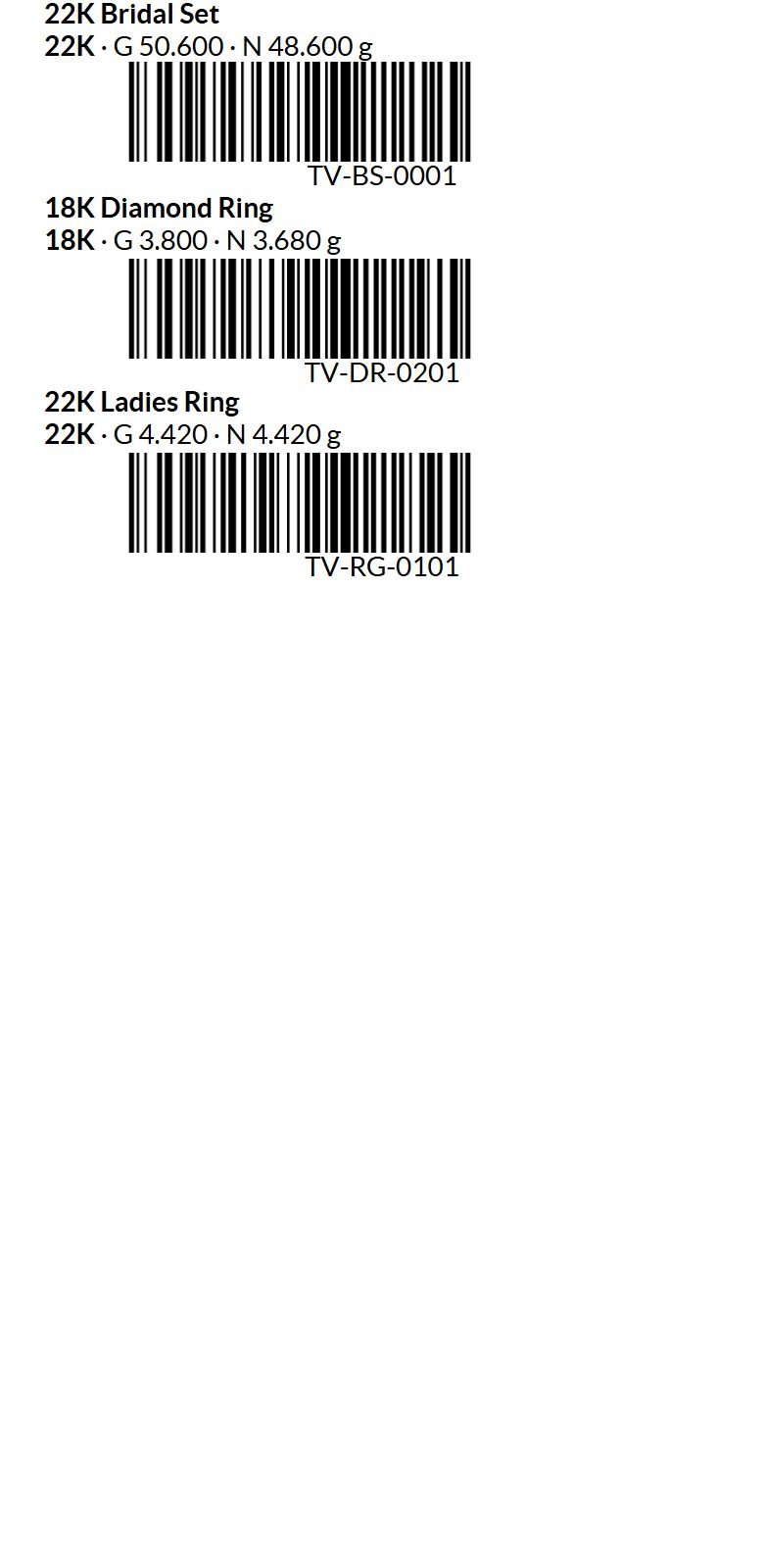
Barcode tag labels

50 x 25 mm labels with karat, gross and net weight and a barcode.

Barcode tag labels
Step 14

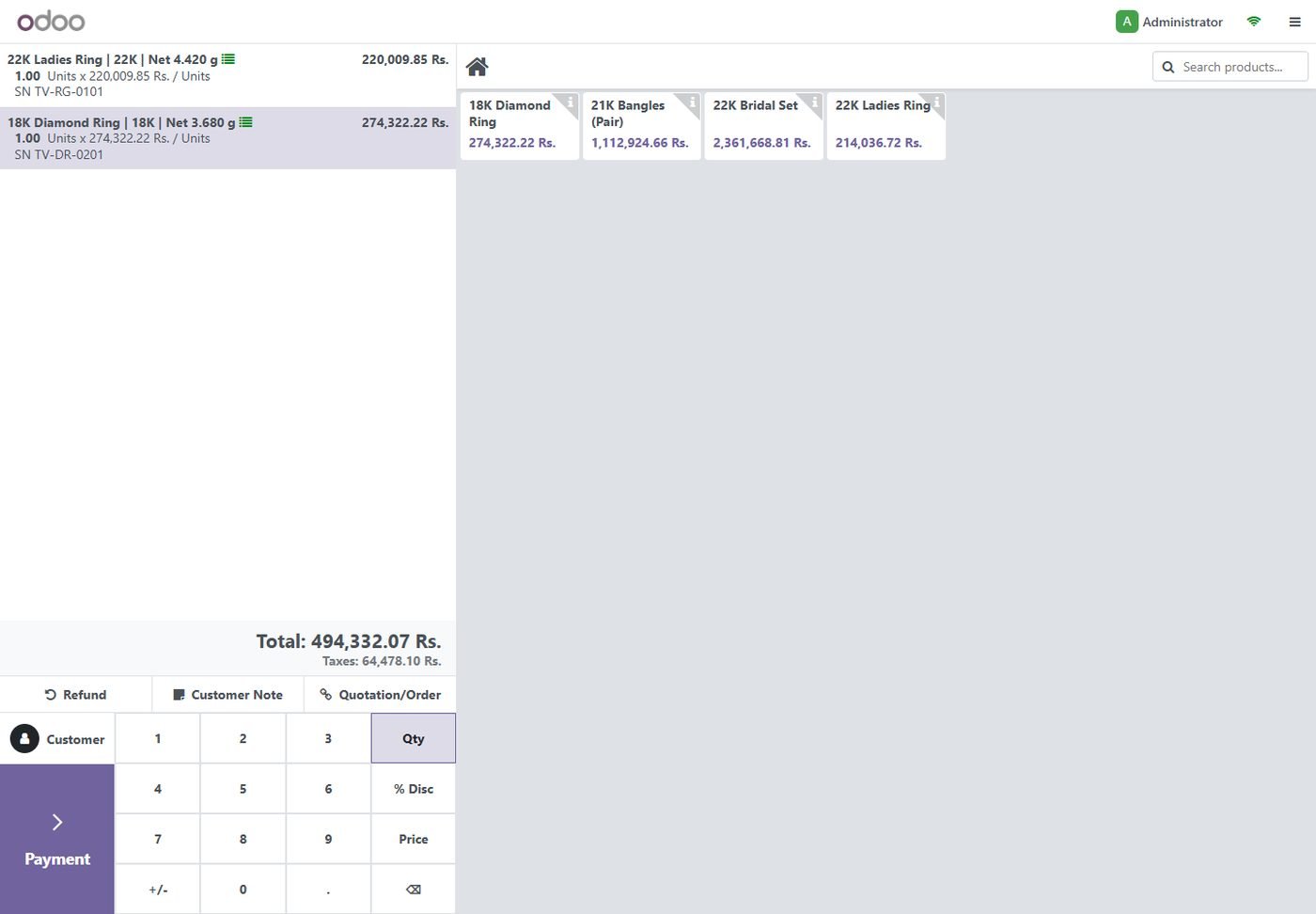
POS: scan a tag to sell

Scanning a tag adds that exact piece at today's price with karat and net weight.

POS: scan a tag to sell
Step 15

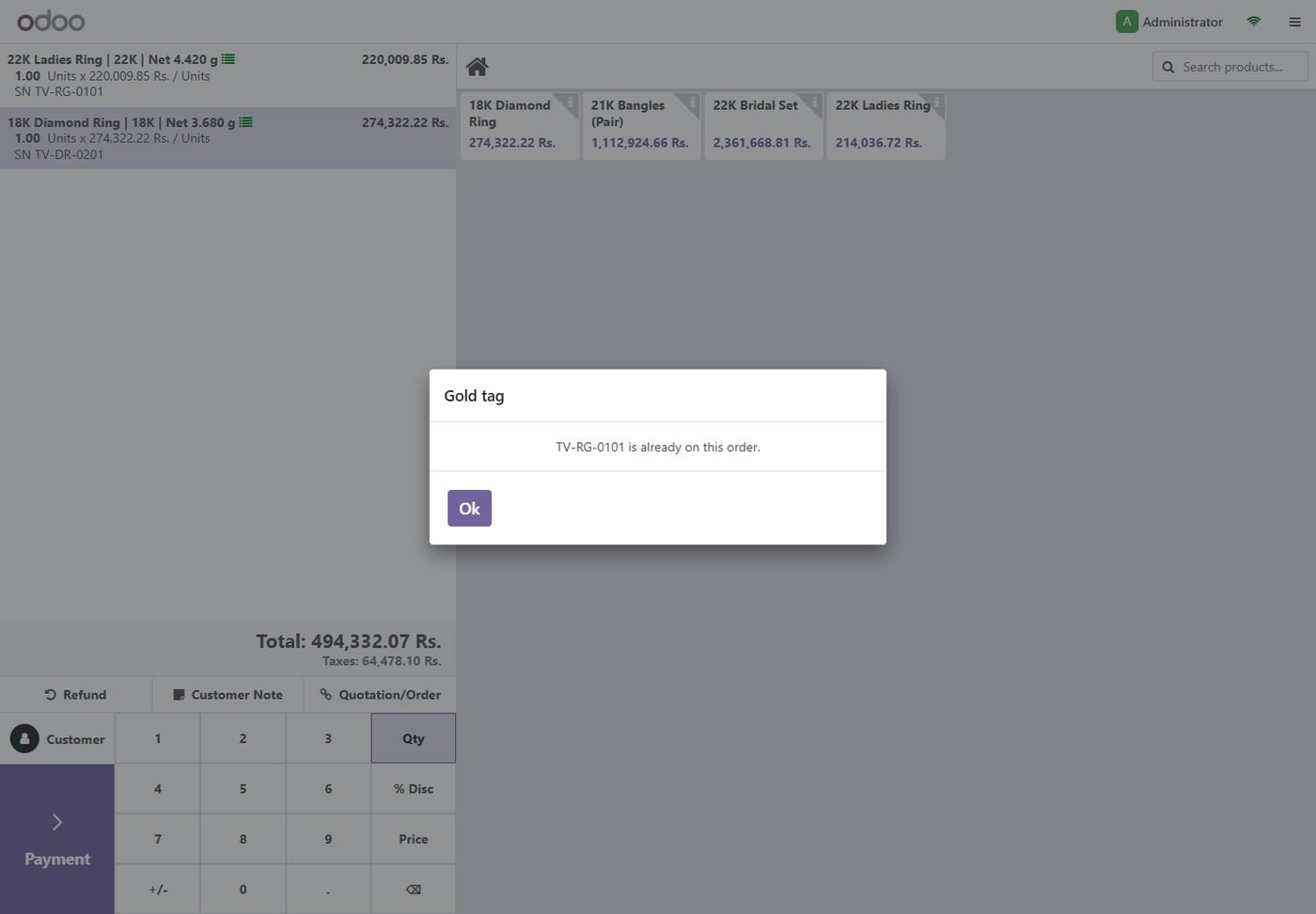
POS checks

The same tag cannot be added twice; sold tags are refused.

POS checks
Step 16

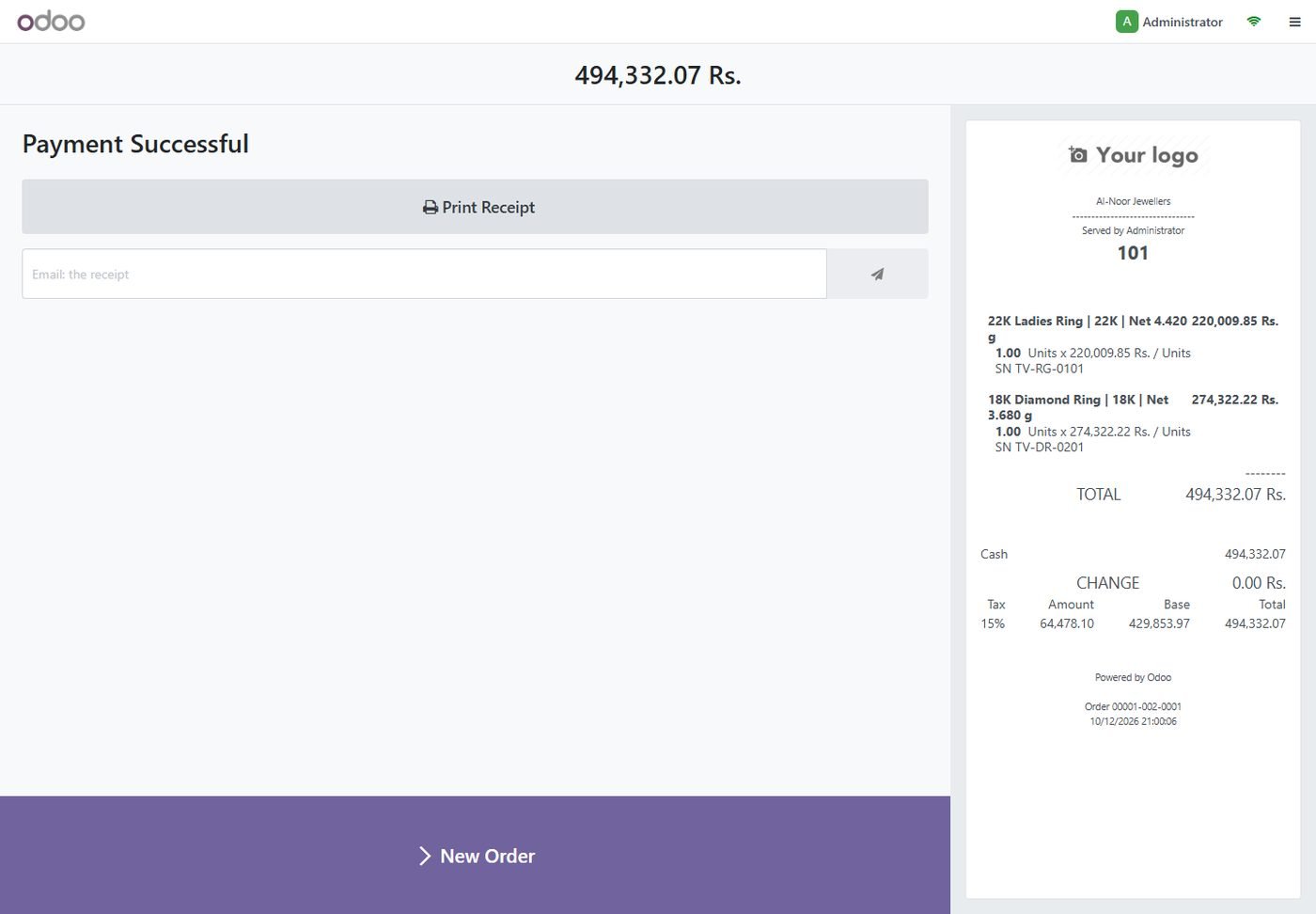
POS receipt with weight

Karat, net weight and tag number are printed on the receipt.

POS receipt with weight
Step 17

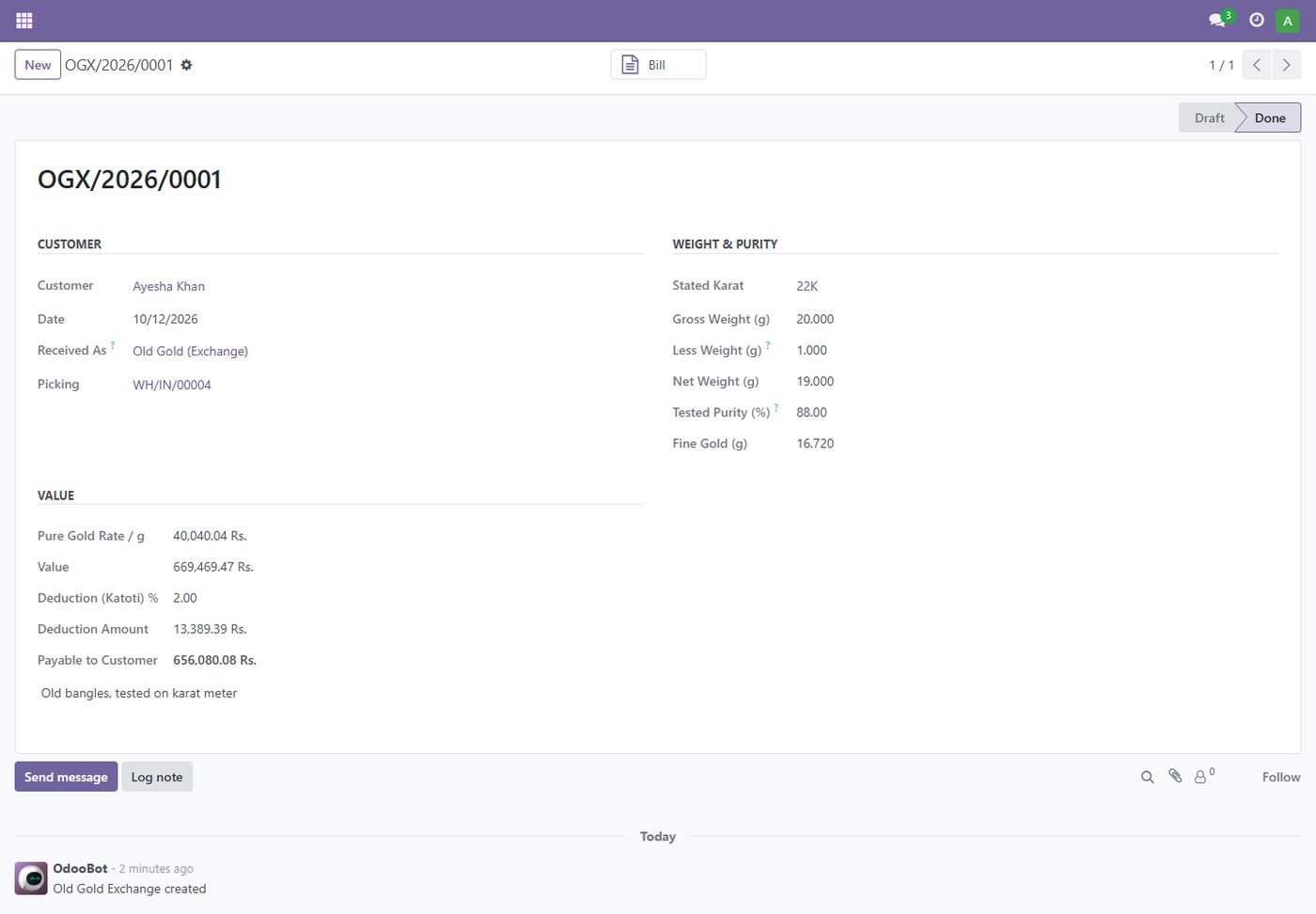
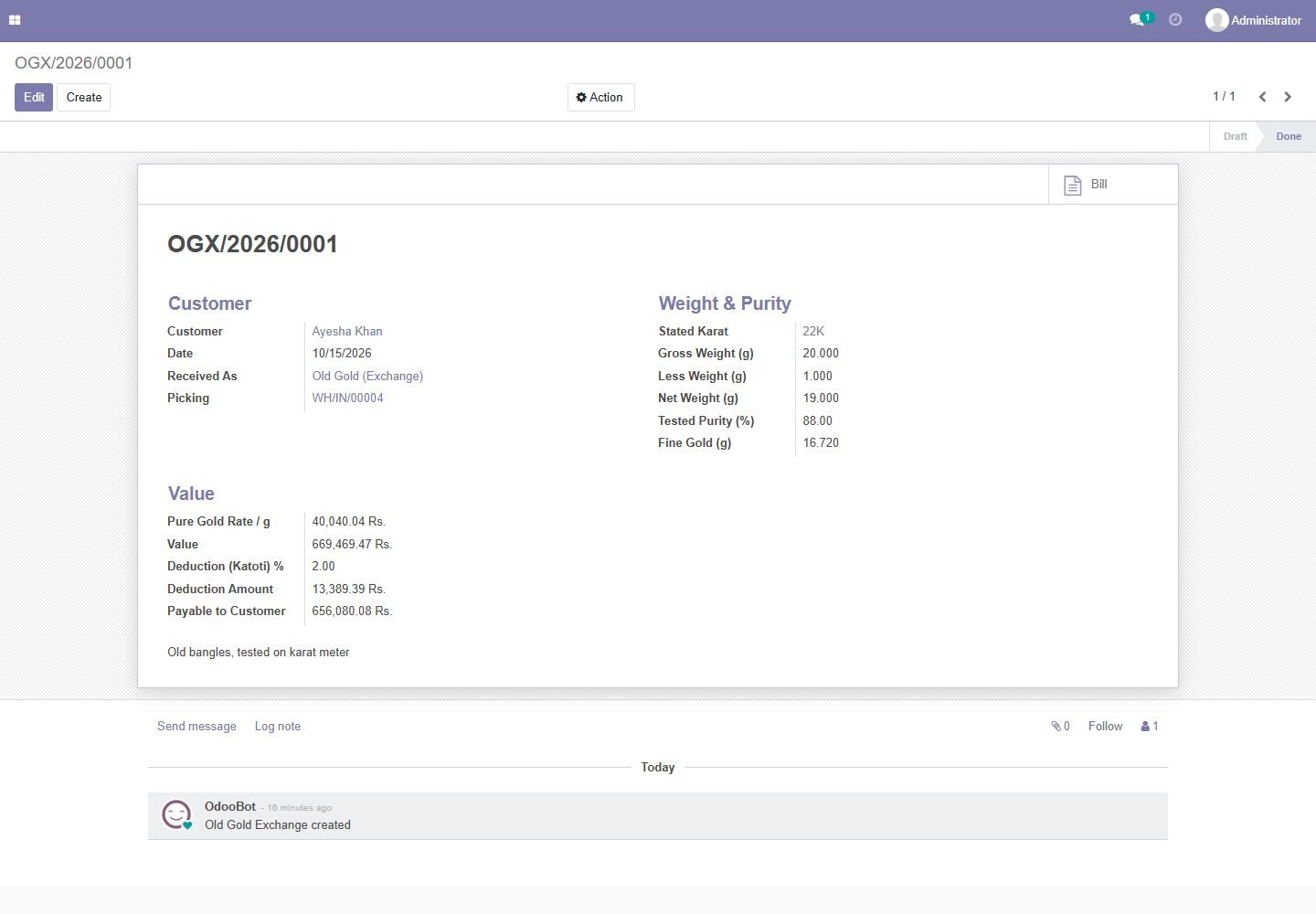
Old gold exchange

Tested purity, katoti (deduction) and today's pure rate; gold goes to stock and a bill is made for the customer.

Old gold exchange
Step 18

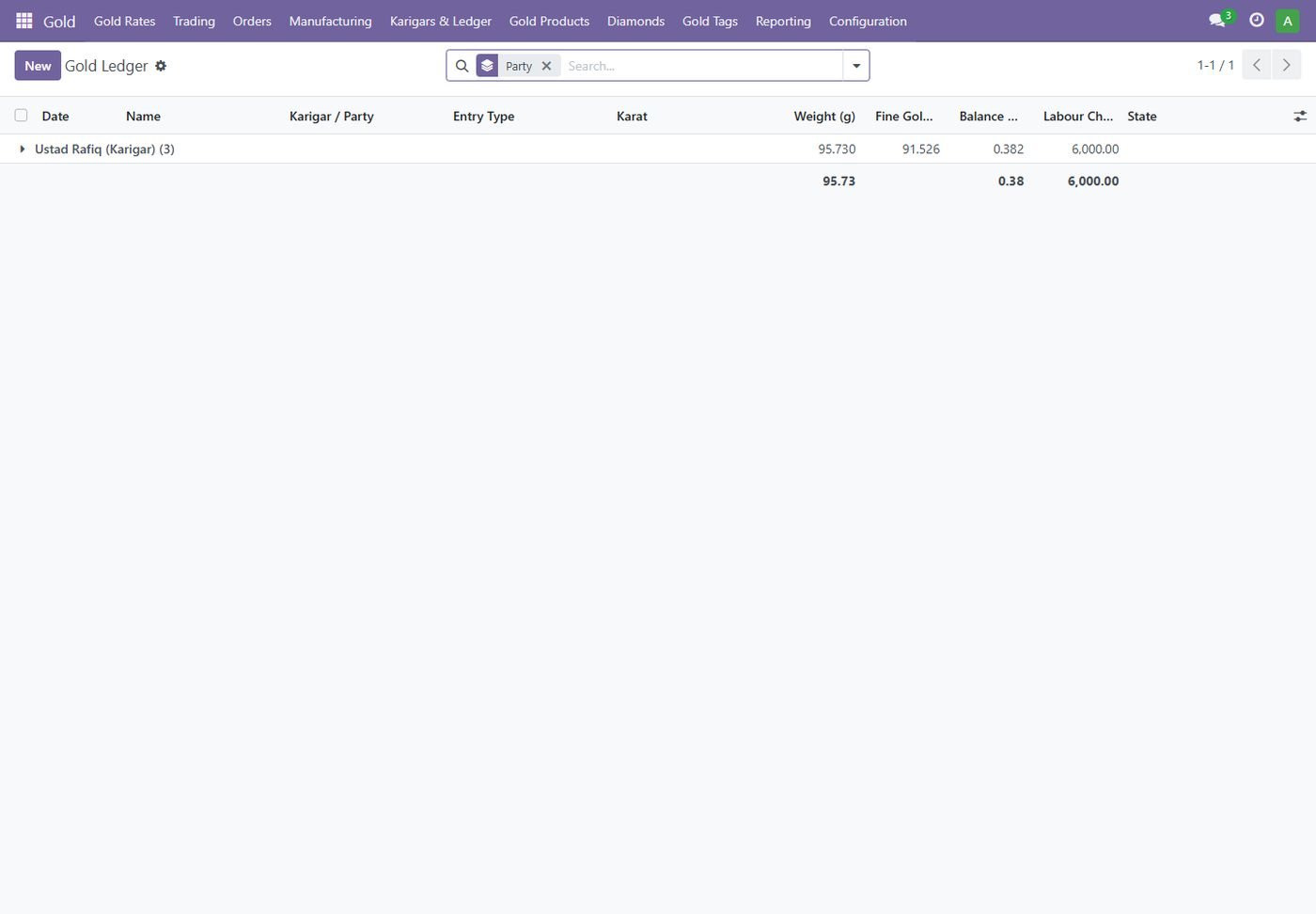
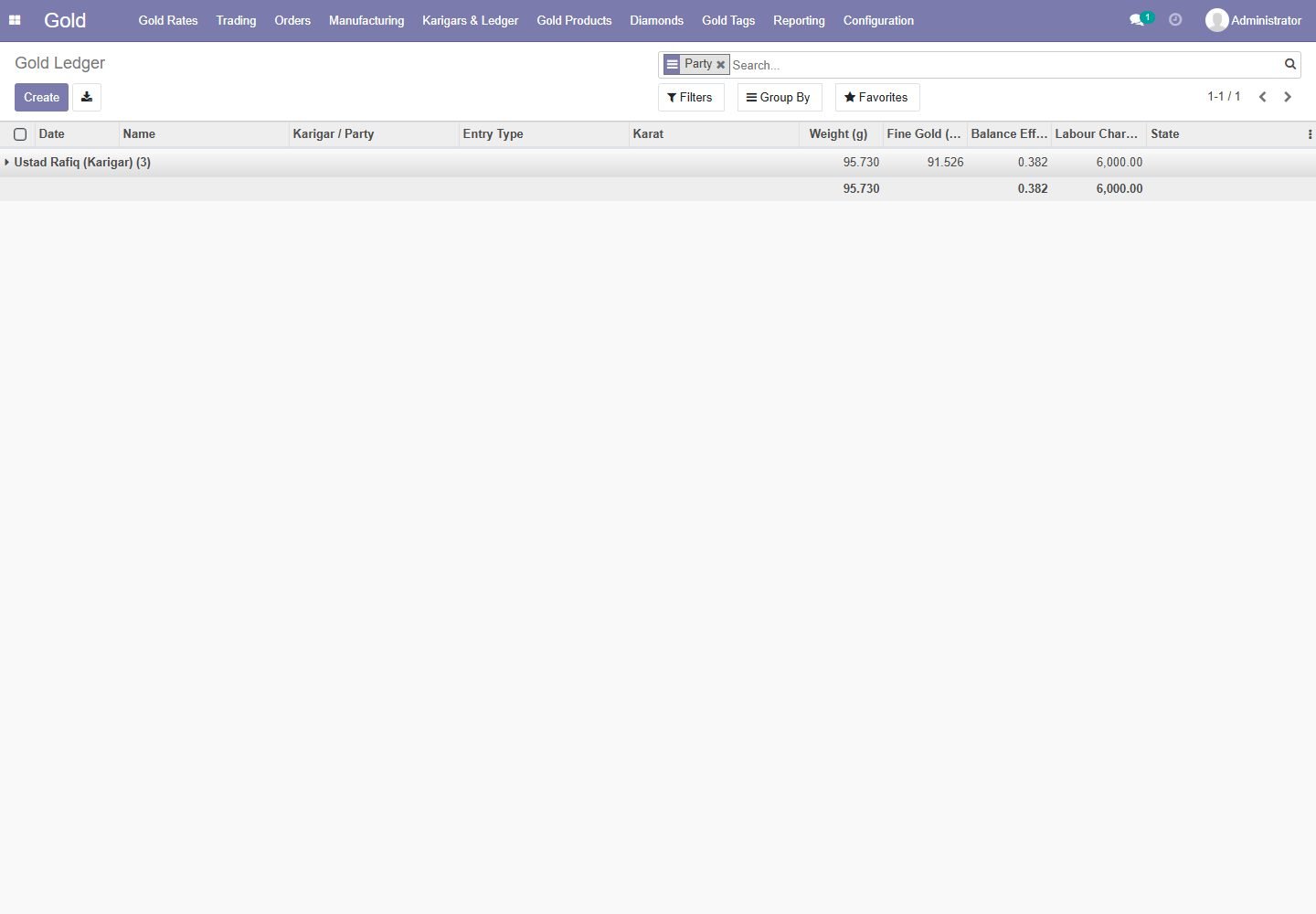
Karigar gold ledger

Gold given, received and wastage allowed, kept in fine grams per karigar.

Karigar gold ledger
Step 19

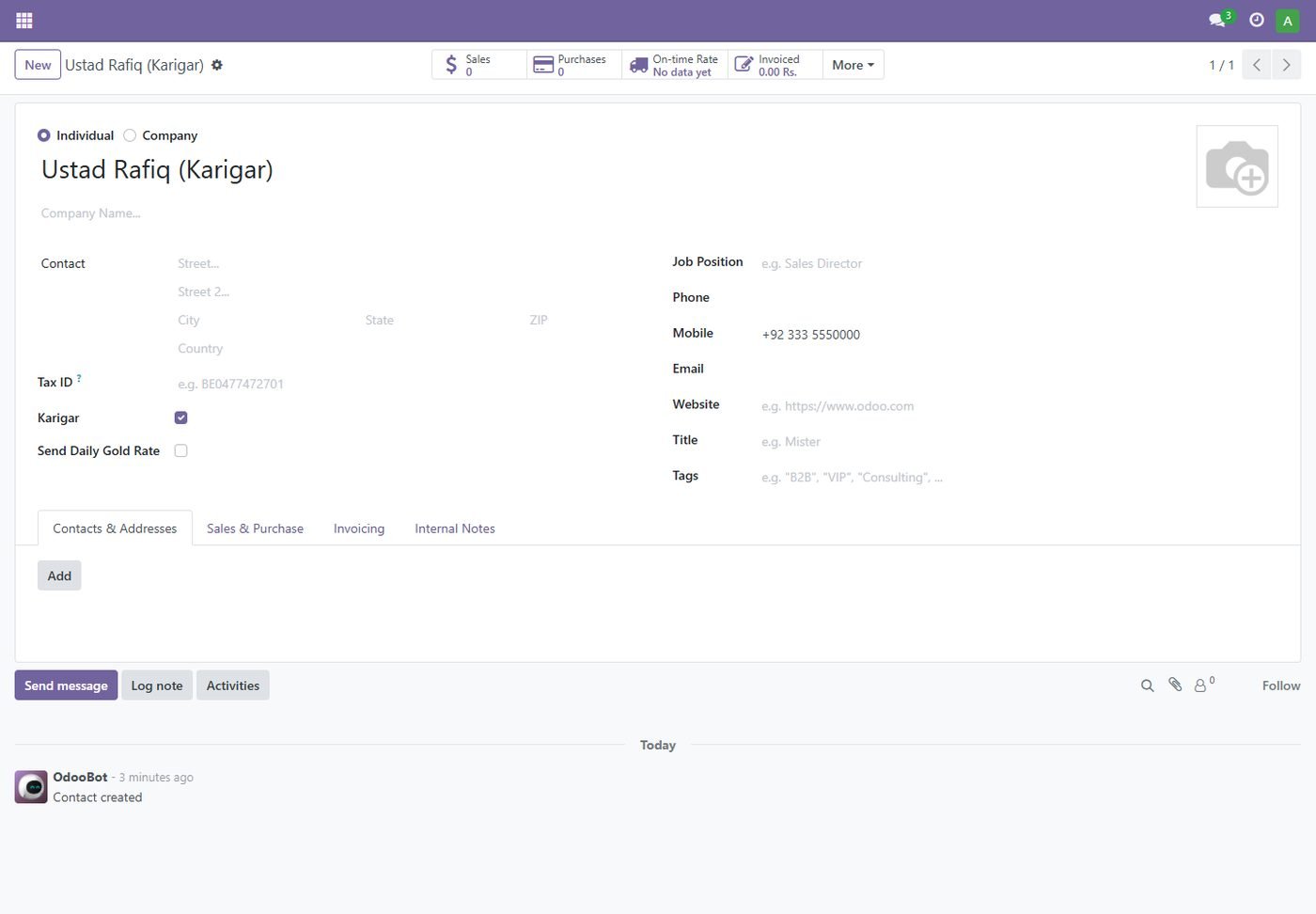
Gold balance on every party

See at a glance how much of your gold a karigar or customer holds.

Gold balance on every party
Step 20

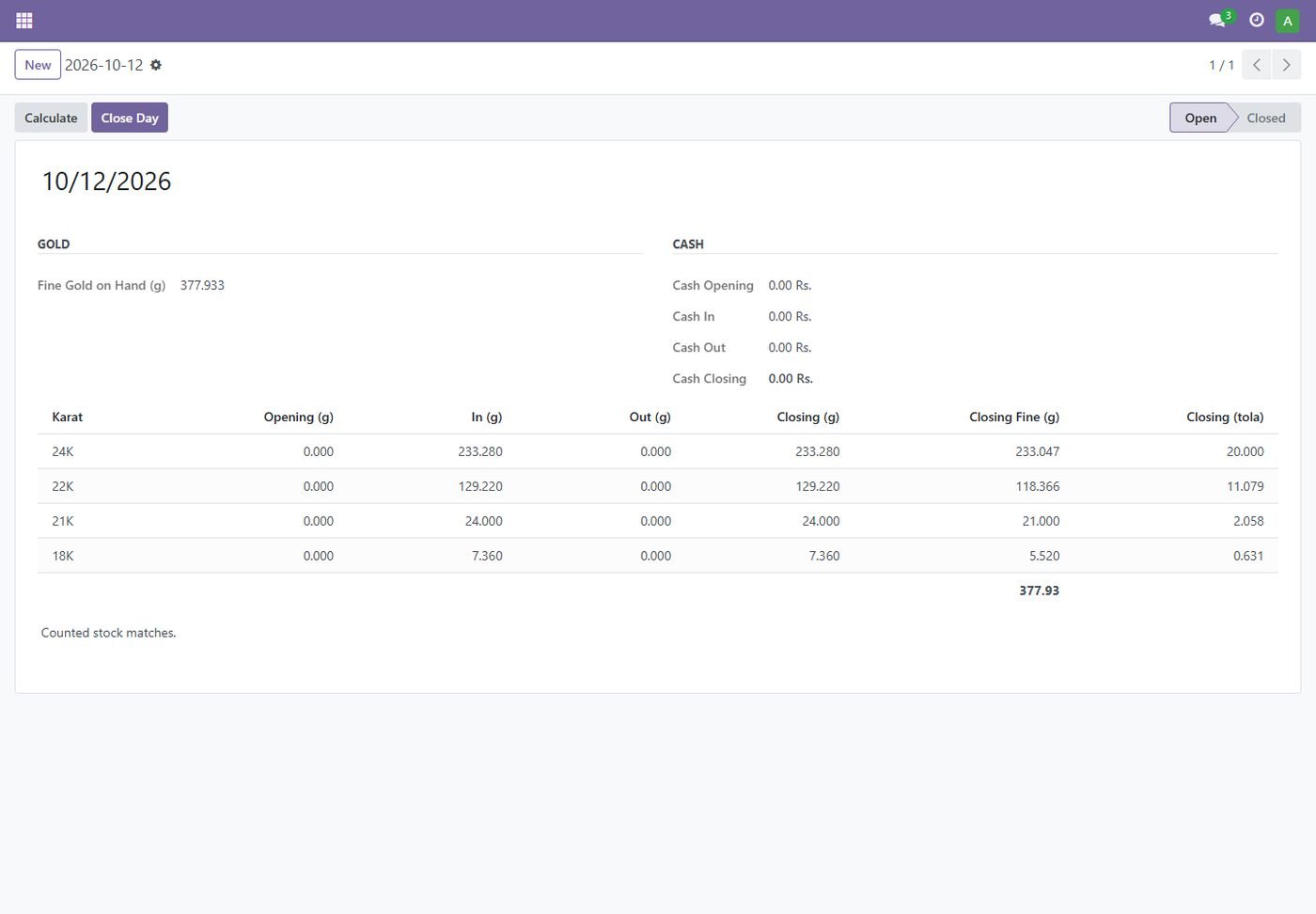
Day closing

Opening, in, out and closing gold by karat (grams, fine, tola) and the day's cash.

Day closing
Step 21

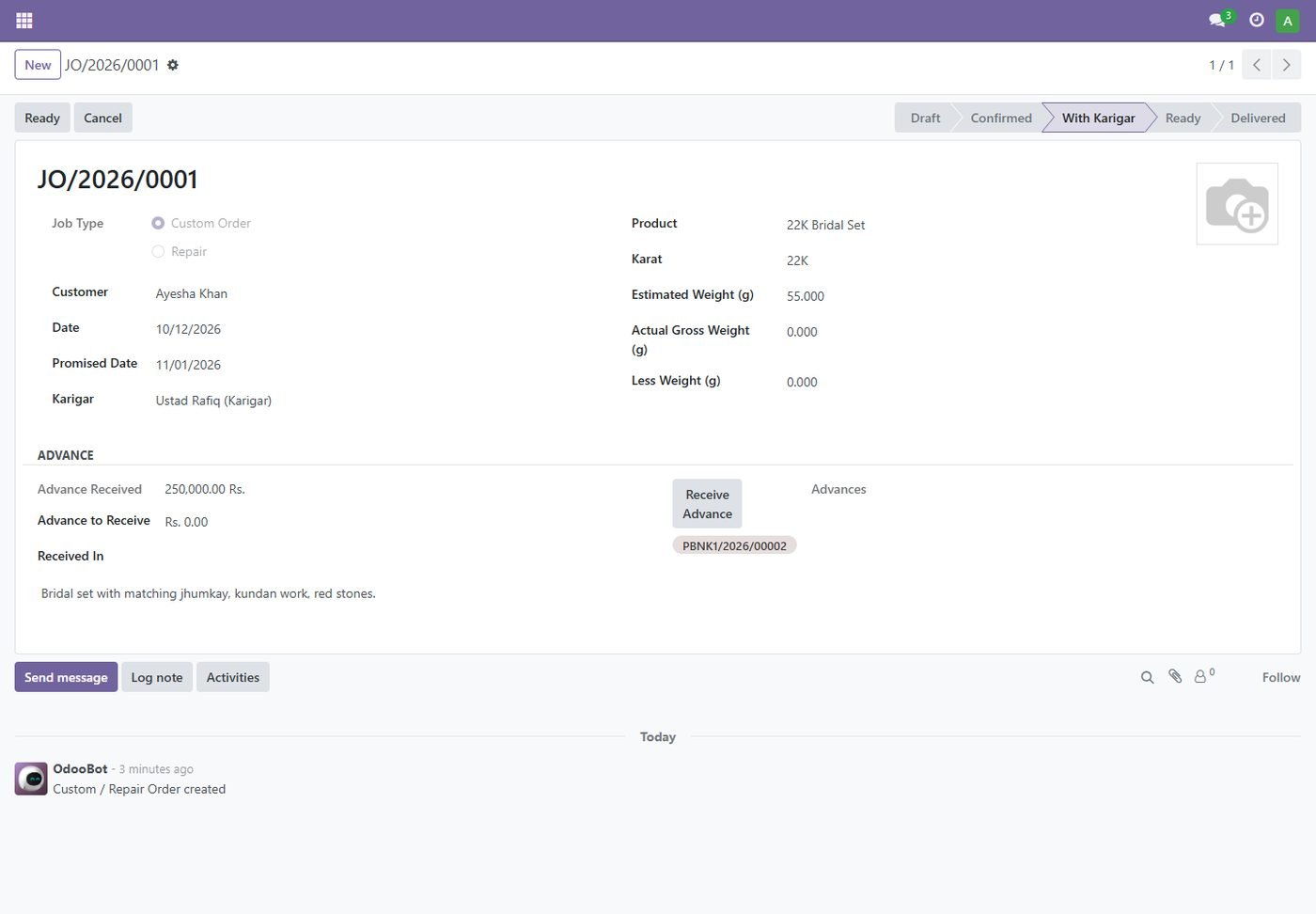
Custom orders with advance

Design photo, promised date, karigar and customer advance; delivery creates the sale order.

Custom orders with advance
Step 22

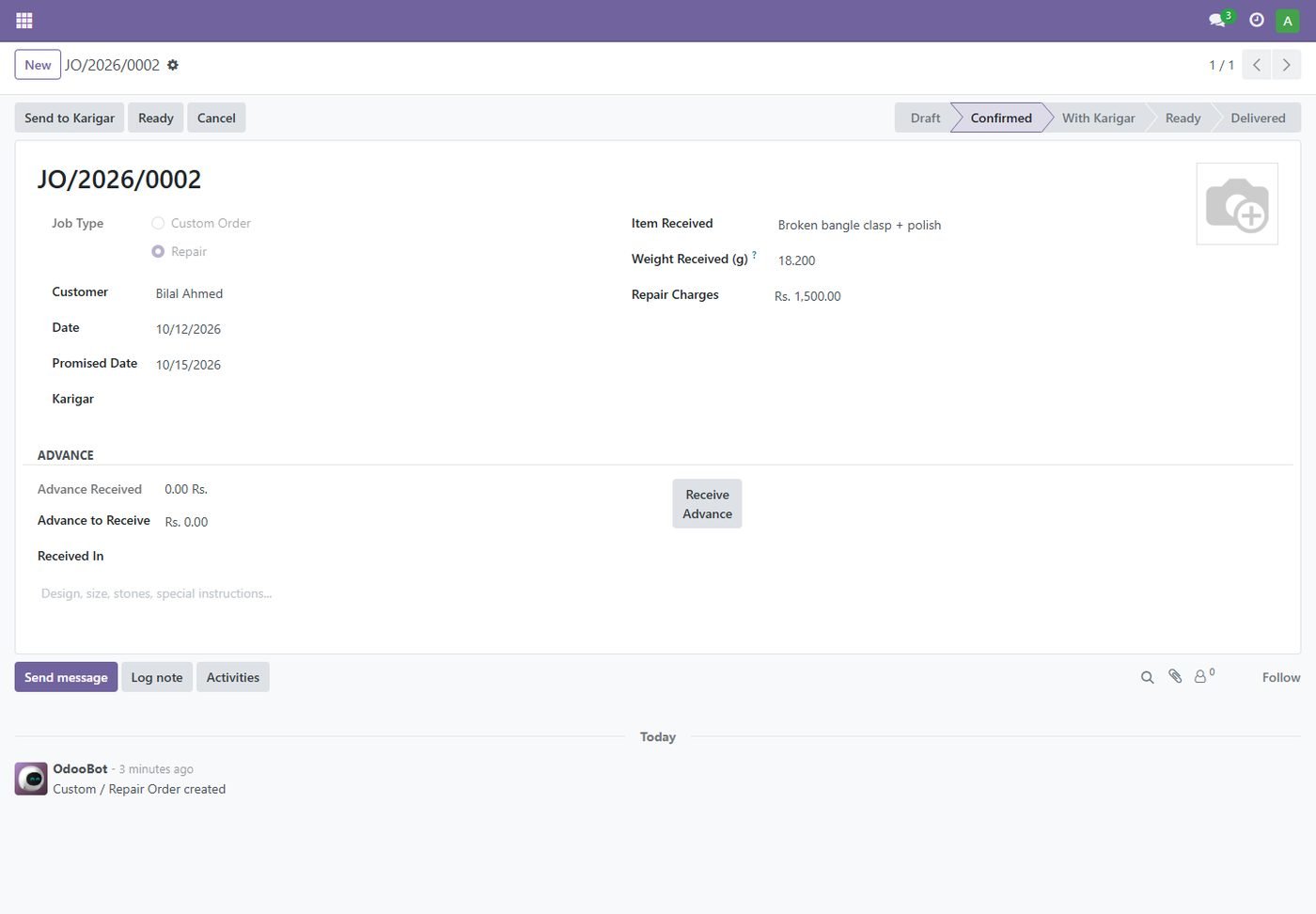
Repair orders

Item received, its weight and repair charges, billed on delivery.

Repair orders
Step 23

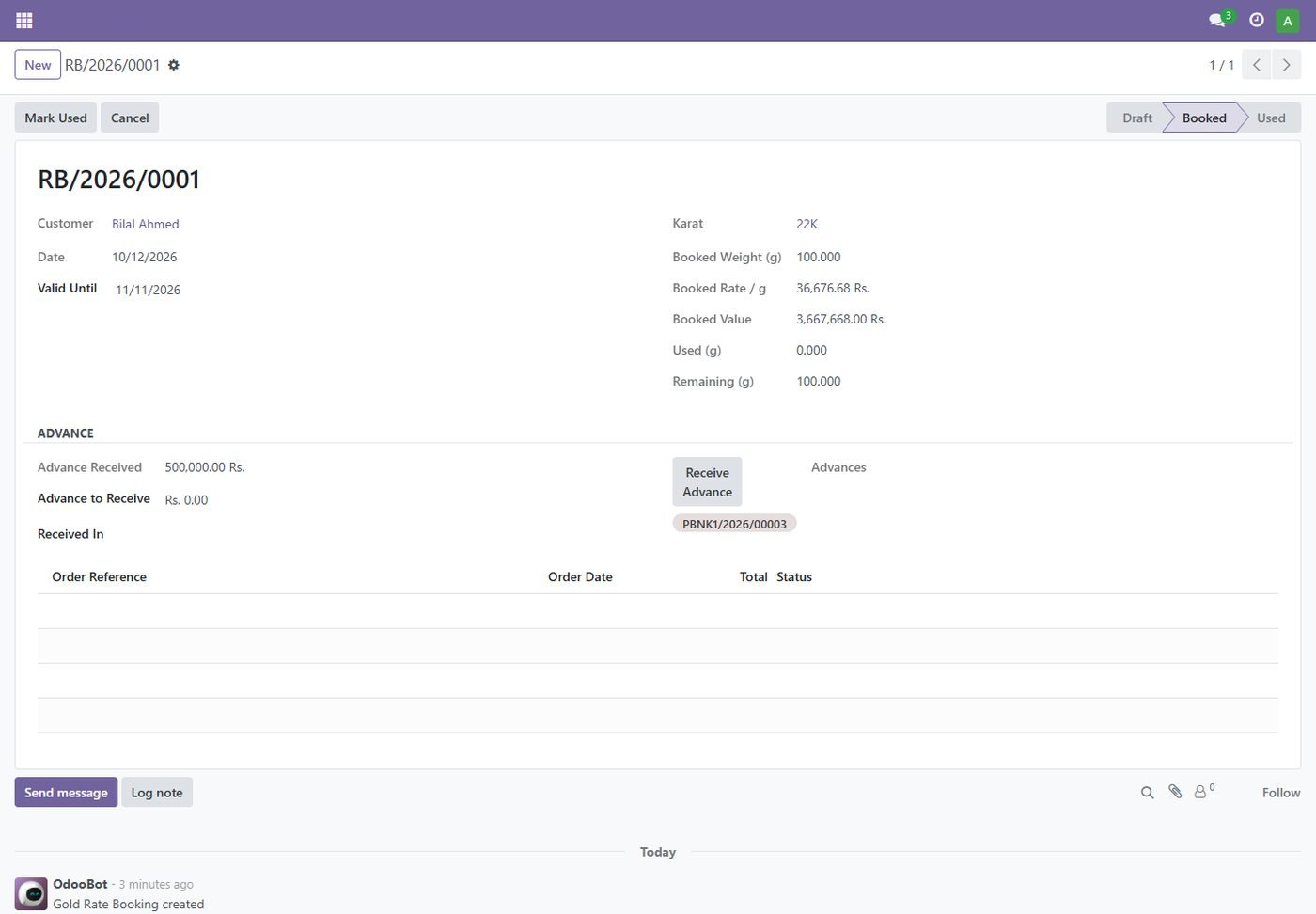
Rate booking

The customer locks today's rate with an advance; sales on the booking use the booked rate.

Rate booking
Step 24

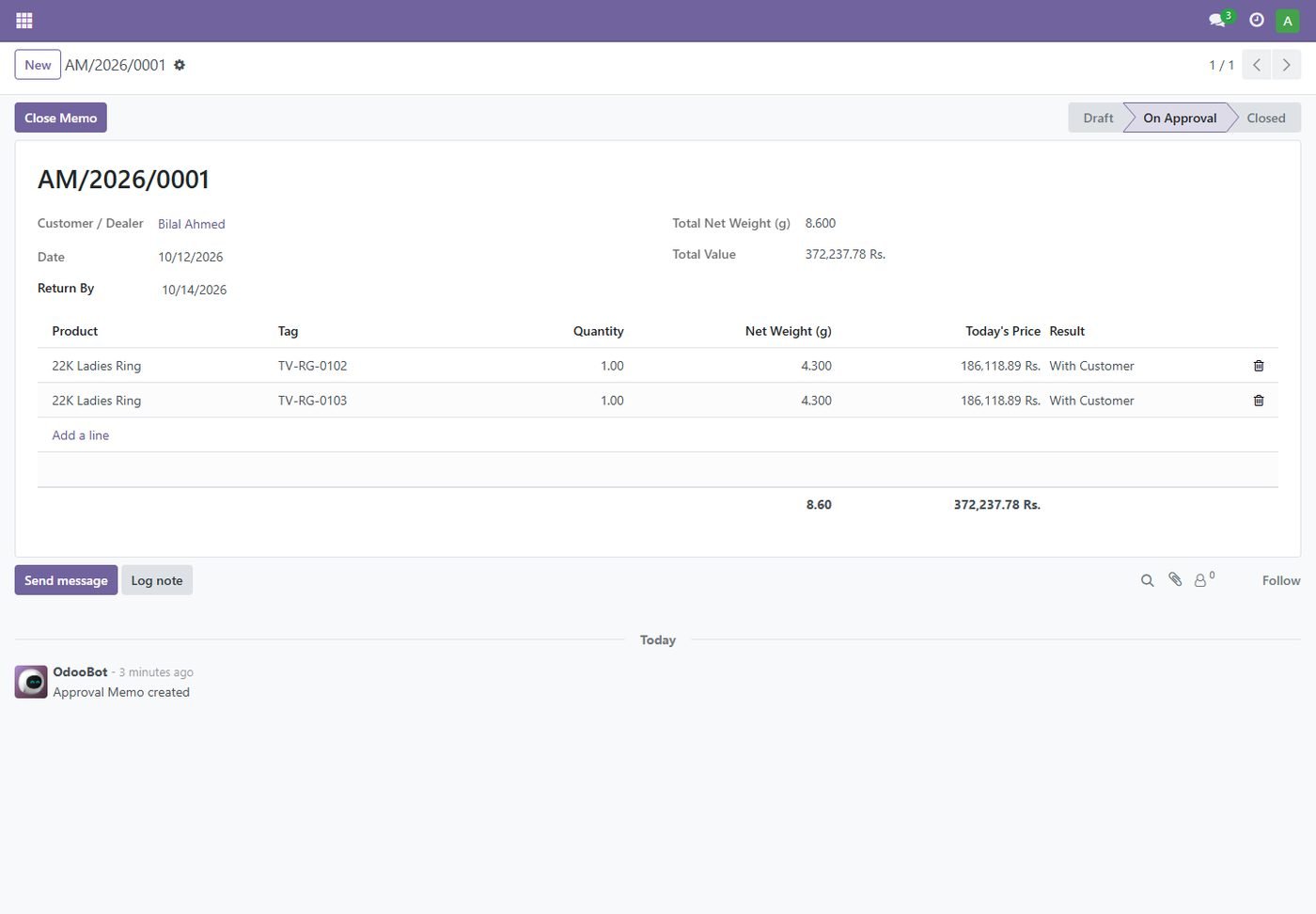
Approval memos

Send pieces on approval, then mark each returned or sold.

Approval memos
Step 25

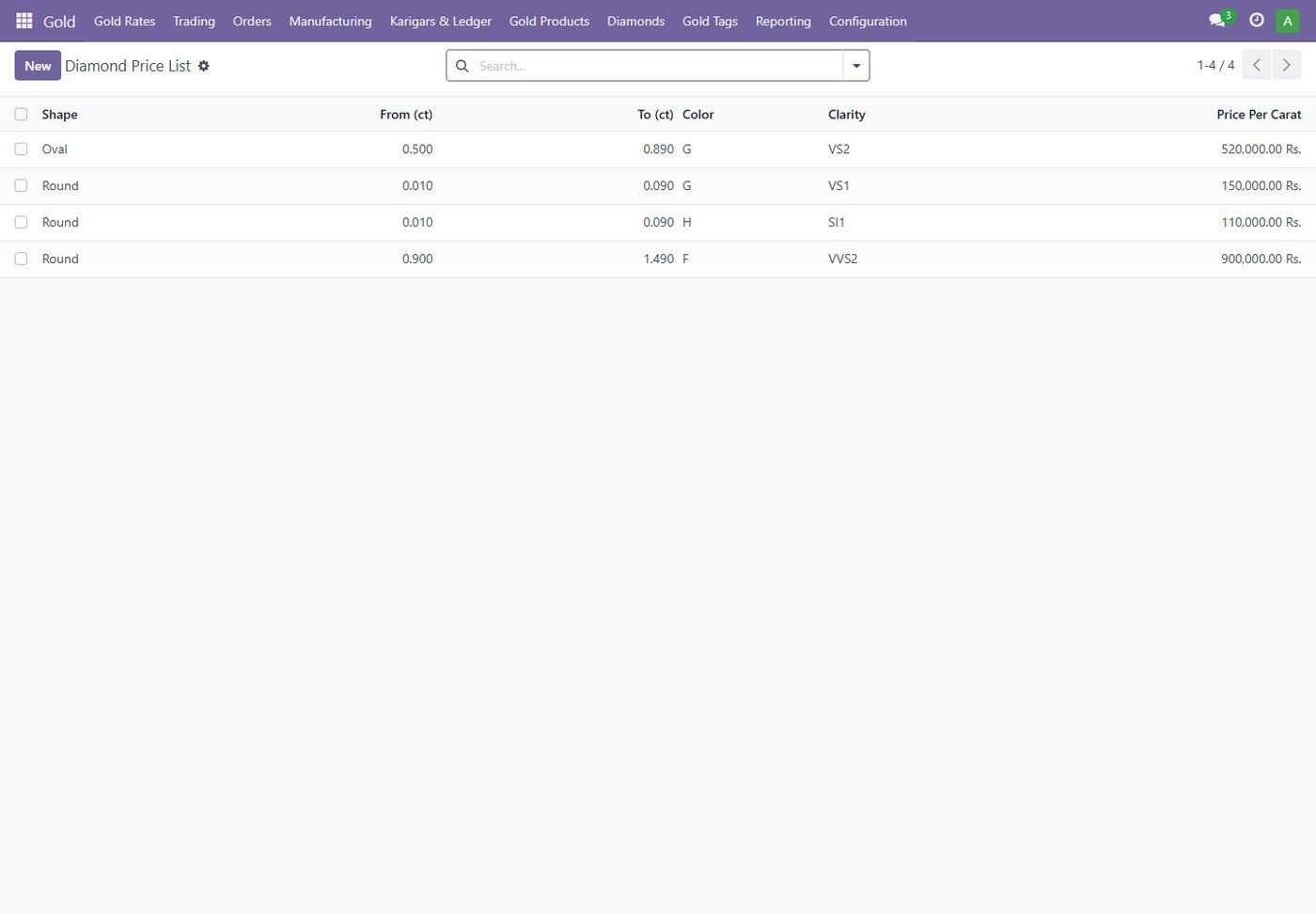
Diamond price per carat

Your own price grid by shape, size, color and clarity.

Diamond price per carat
Step 26

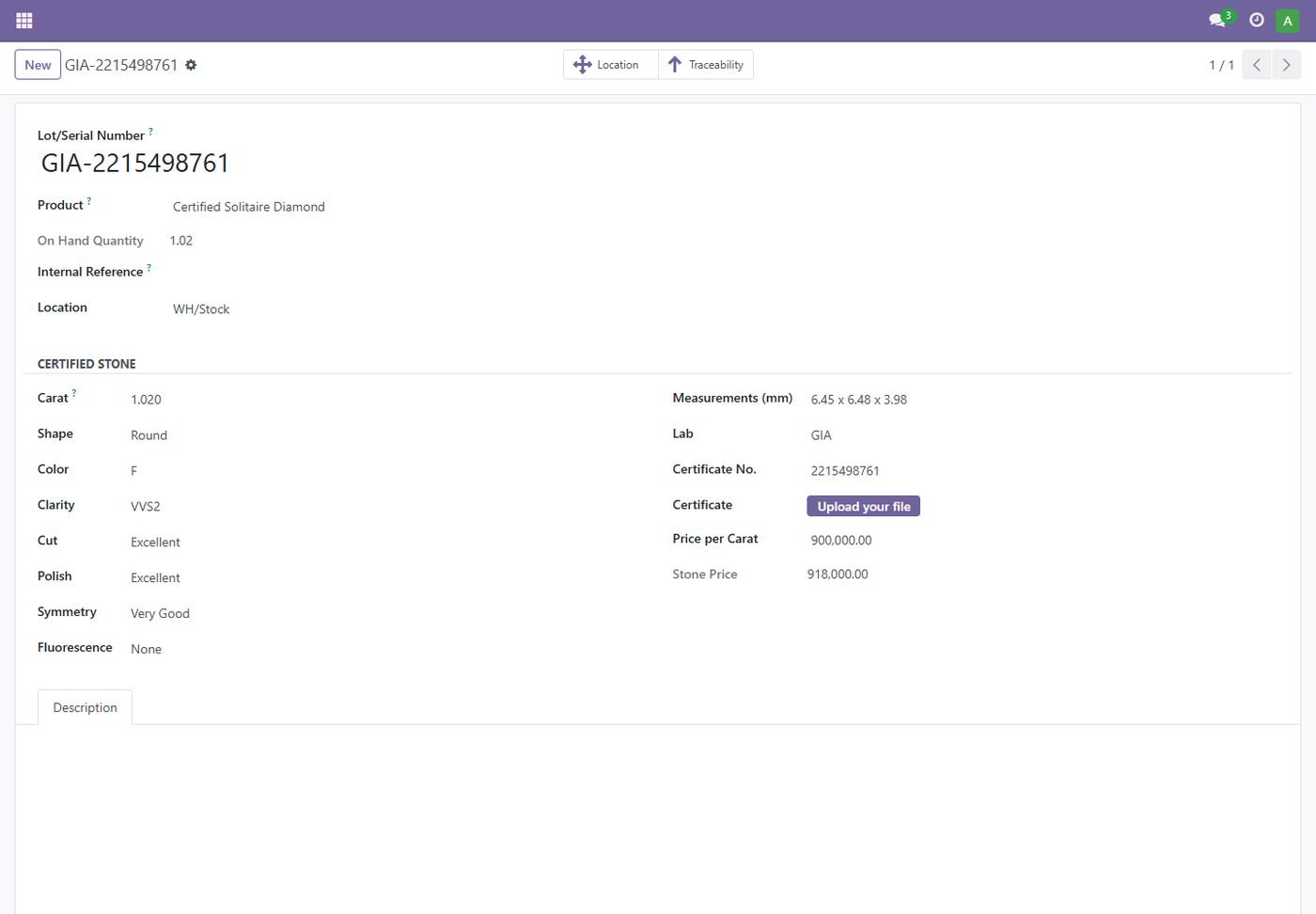
Certified diamonds

4Cs, measurements and GIA / IGI certificate on each certified stone.

Certified diamonds
Step 27

Stones in a piece

Diamonds in a piece drive the stone charges and the less weight automatically.

Stones in a piece
Step 28

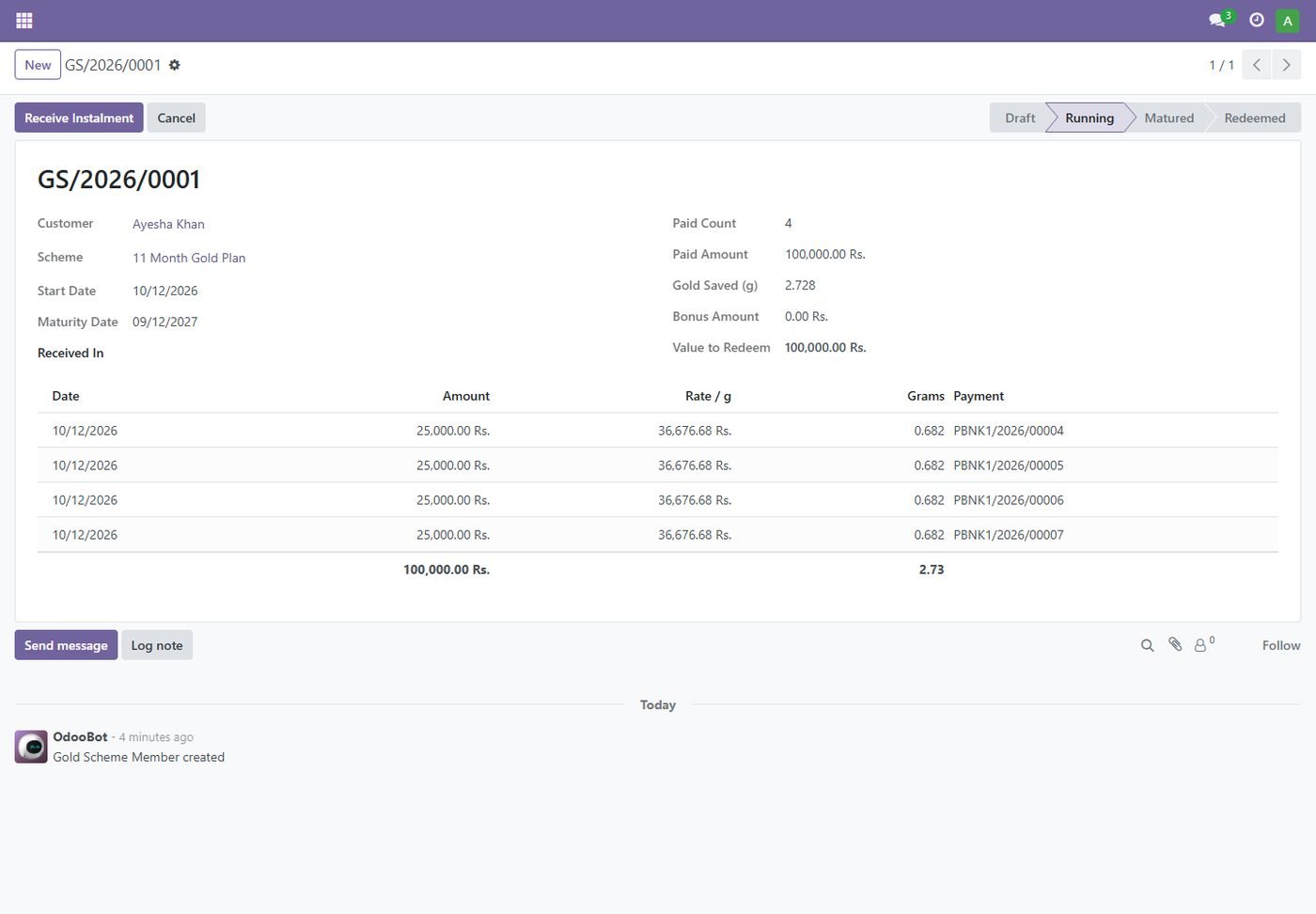
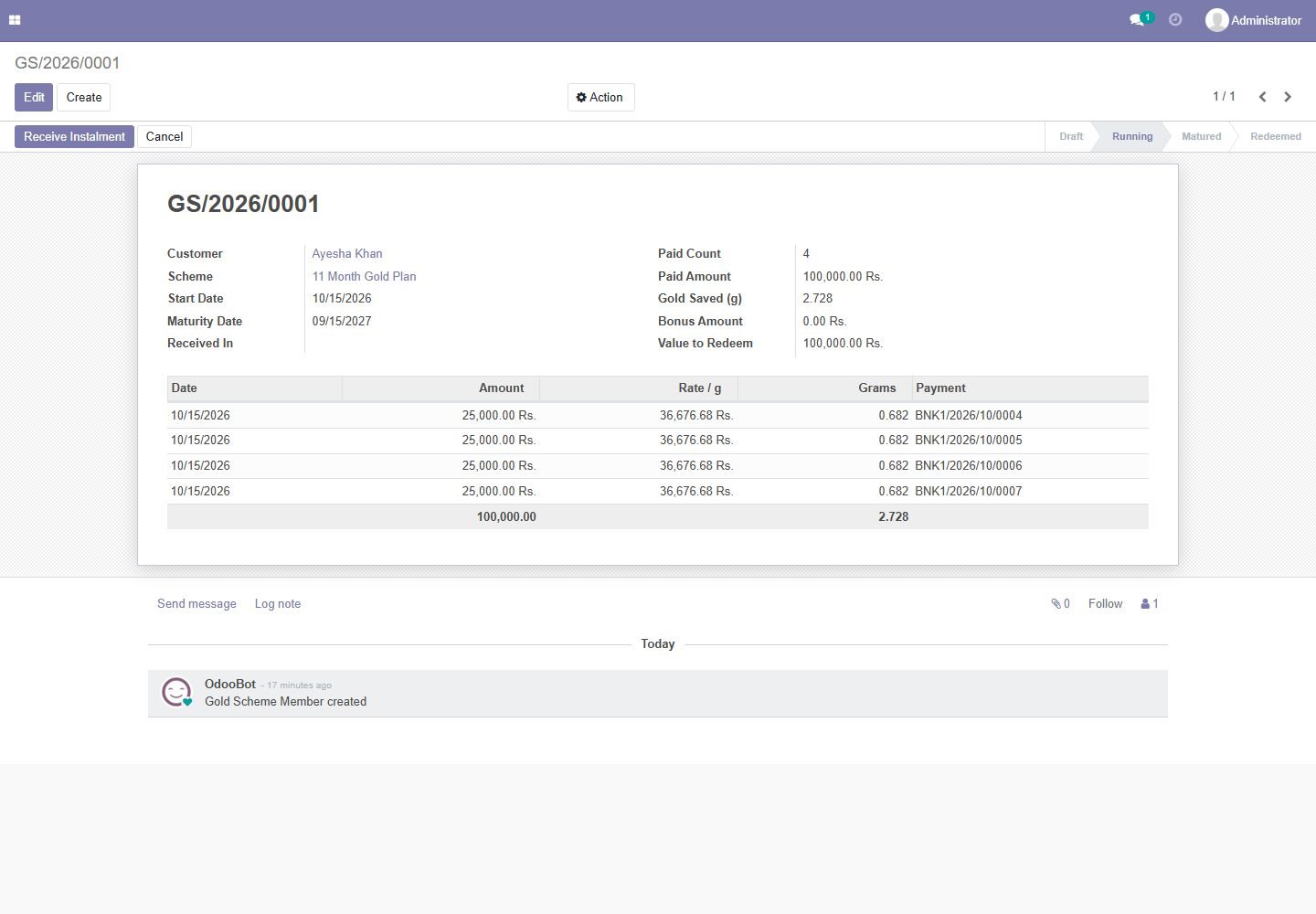
Gold savings scheme

Monthly instalments, grams saved at each day's rate and a bonus on maturity.

Gold savings scheme
Step 29

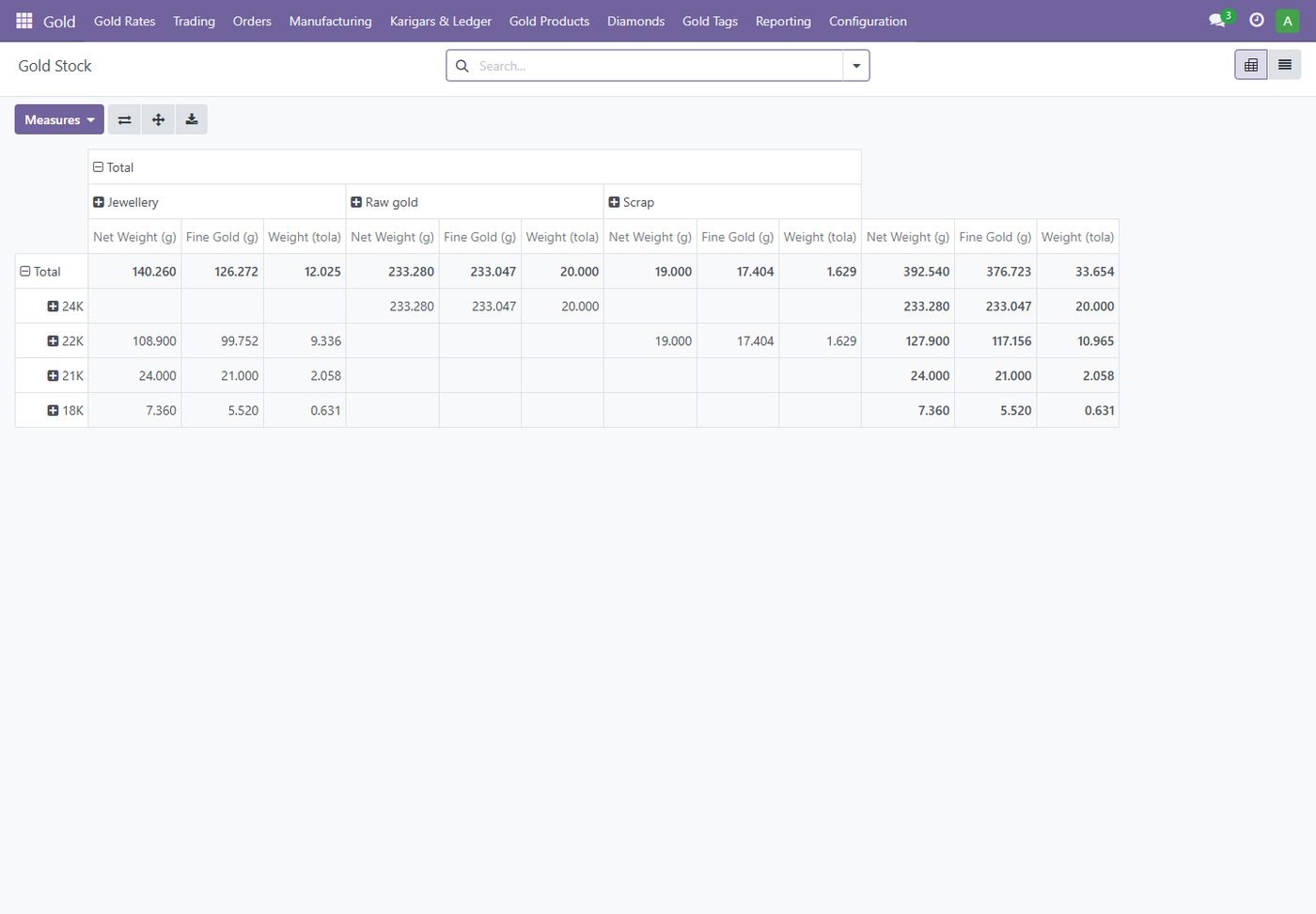
Gold stock report

Stock by karat and type in grams, fine grams and tola.

Gold stock report
Step 30

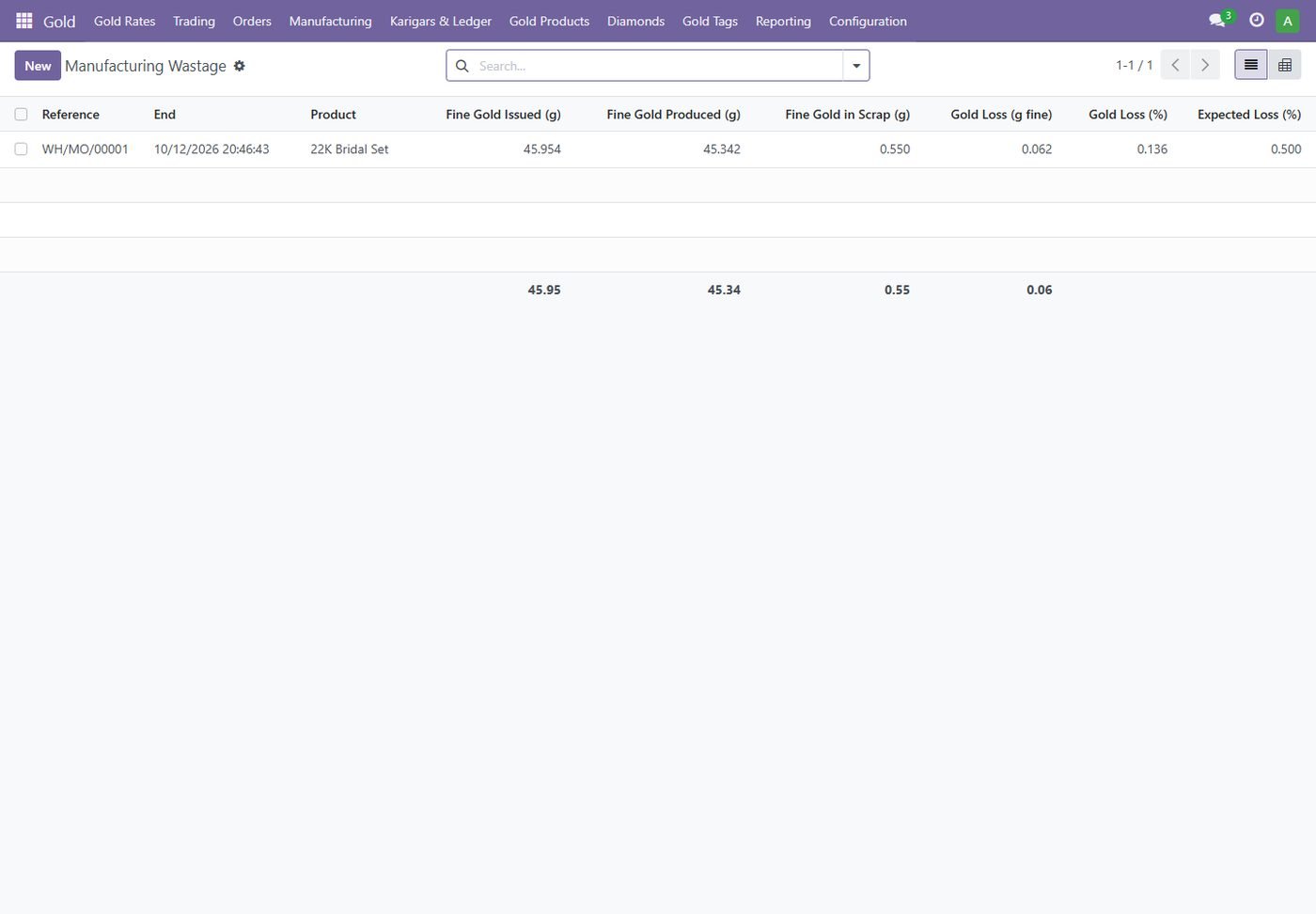
Manufacturing wastage report

Fine gold issued, produced, scrap and loss for every order.

Manufacturing wastage report
Step 31

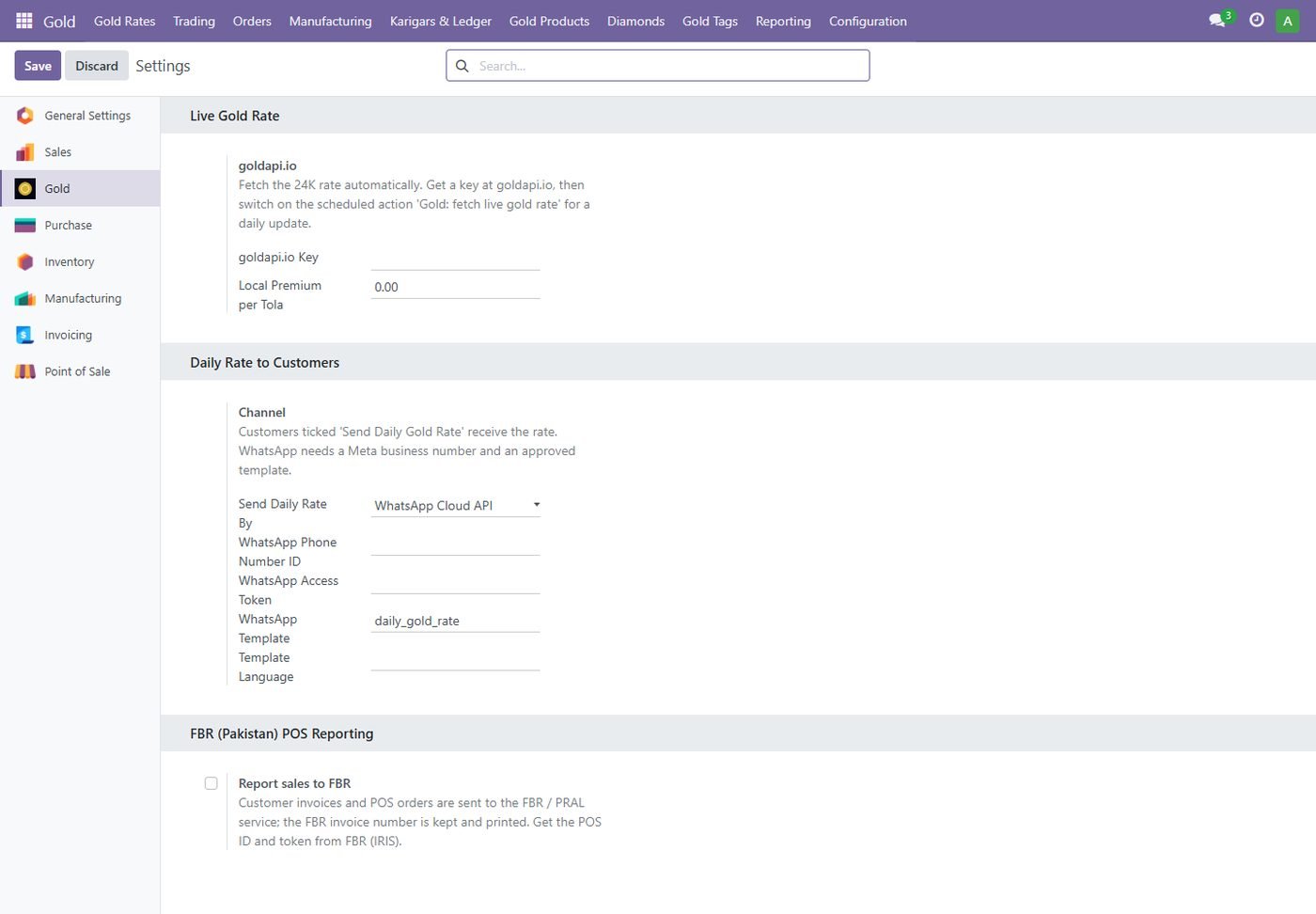
Settings

Live gold rate, daily rate to customers by WhatsApp / SMS / e-mail and FBR reporting.

Settings
Step 32

Odoo 14: daily karat rates

The same rate screen on Odoo 14: one 24K tola rate prices every karat, silver and platinum.

Odoo 14: daily karat rates
Step 33

Odoo 14: gold product settings

Karat, weights, wastage, making and stone charges on the Odoo 14 product form.

Odoo 14: gold product settings
Step 34

Odoo 14: purchase by weight

Purchase lines priced from net weight, wastage and karat rate on Odoo 14.

Odoo 14: purchase by weight
Step 35

Odoo 14: sale at today's rate

Sales order lines with karat, gross / less / net weight, wastage and rate per gram.

Odoo 14: sale at today's rate
Step 36

Odoo 14: manufacturing gold balance

Gold issued, fine gold, alloy, output, scrap and real loss on an Odoo 14 manufacturing order.

Odoo 14: manufacturing gold balance
Step 37

Odoo 14: old gold exchange

Tested purity, katoti and pure rate with a bill for the customer.

Odoo 14: old gold exchange
Step 38

Odoo 14: karigar gold ledger

Gold given, received and wastage per karigar in fine grams.

Odoo 14: karigar gold ledger
Step 39

Odoo 14: gold savings scheme

Monthly instalments converted to grams at each day's rate.

Odoo 14: gold savings scheme
Common questions

Questions aboutthis module.

Something else? Ask our team.

Odoo 14, 15, 16, 17, 18, 19 and 20 (Community and Enterprise). Pick your version on this page.

Yes. Rates are entered per tola; gold can be bought, stocked and sold in grams or tola.

Yes. Saving the day's rate re-prices pieces, and scanning a gold tag sells that piece at its own weight and today's rate.

Only for the optional live rate (goldapi.io). Rates can always be entered by hand.

Yes, our team installs and configures the module on your Odoo for free.

Not sure it's theright fit?

Book a free consultation and we'll help you pick the right modules for your workflow.